

Close Menu
  • Latest
  • Help Support Independent Journalism
  • Features
  • Gaming
    • All Gaming
    • Nintendo
    • PlayStation
    • Xbox
    • PC Gaming
    • VR
  • Guides
  • Entertainment
    • All Entertainment
    • Anime & Animation
    • Movies and TV
    • Books
    • Manga & Comics
    • Toys
    • Geek
    • Pop Culture
  • Previews
  • Reviews
    • All Reviews
    • Video Game
    • Anime & Animation
    • Movie & TV
    • Comic Book & Manga
    • Tech & Gear
    • Food
    • Book
    • Toys
    • Tabletop and Card Game
  • Podcasts
    • A-01 Podcast
    • Nintendo Entertainment Podcast
    • Spectator Mode Podcast
  • Contact Us
X (Twitter) YouTube RSS Bluesky Discord

Follow Us

X (Twitter) Instagram YouTube Bluesky Discord
The OuterhavenThe Outerhaven
  • Latest
  • Features
  • Guides
  • Previews
  • Reviews
    • Video Game Reviews
    • Anime & Animation Reviews
    • Comic Book & Manga Reviews
    • Films & TV Reviews
    • Tech Reviews
    • Tabletop & Card Game Reviews
    • Toy Reviews
  • Gaming
    • PlayStation
    • Nintendo
    • Xbox
    • PC Gaming
    • Tabletop & Card Game
    • Virtual Reality
  • Entertainment
    • Anime & Animation
    • Comic Books & Manga
    • Films & TV
    • Original English Light Novels DB
    • OELN DB
    • Pop Culture
    • Books
    • Toys
  • Tech News
  • Podcasts
    • A-01 Podcast
    • Nintendo Entertainment Podcast
    • Spectator Mode Podcast
The OuterhavenThe Outerhaven

XDefiant: How To Fix Can’t Find Game Error

By Solomon ThompsonMay 31, 2024
XDefiant: How To Fix Can’t Find Game Error

Are you having trouble finding a match in XDefiant? You’re not alone. Many players face this issue, and it can be frustrating. However, there are several ways to fix it and get back into the game. In this guide, we’ll cover the most effective solutions to help you resolve this error and enjoy XDefiant without interruptions.

How To Fix Can’t Find Game Error In XDefiant
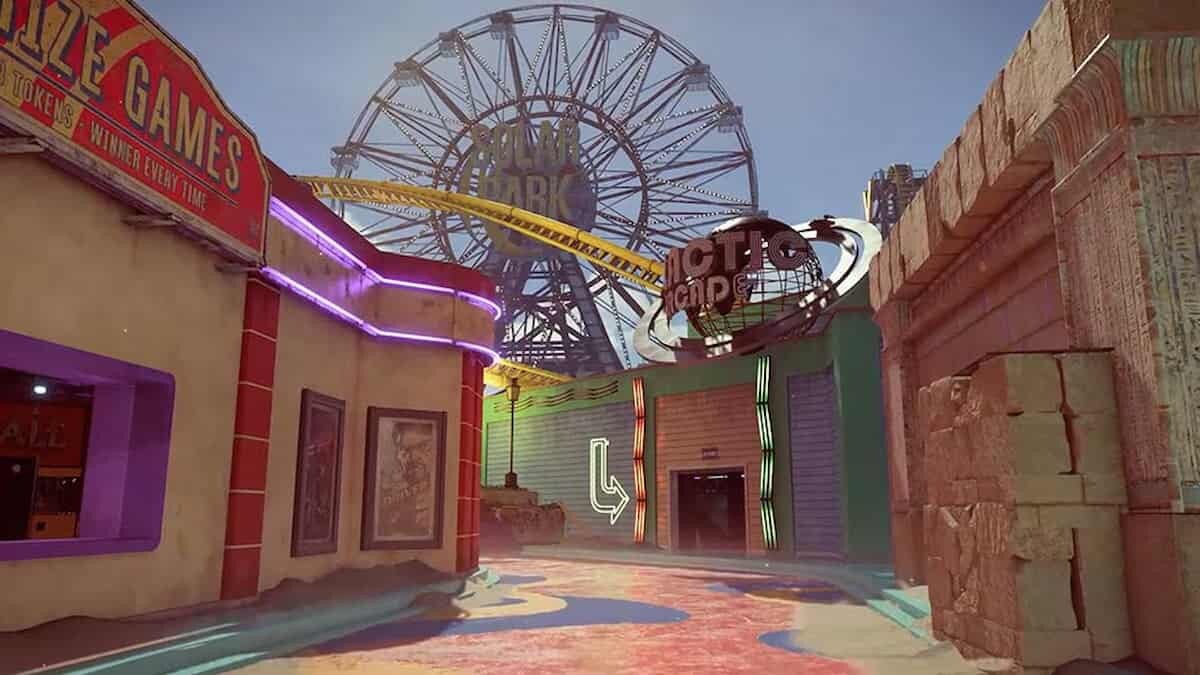
XDefiant: How To Fix Can’t Find Game Error

Check Server Status

The first step in fixing the “can’t find game” error is to check if the servers are down. Sometimes, server maintenance or unexpected outages can cause issues. Visit the official XDefiant Twitter account or website to see if there are any announcements about server status. If the server is down, you may need to wait until the developers resolve the issue.

Restart Your Game

A simple yet effective fix is to restart your game and system. Close XDefiant completely and restart your console or PC. This can often resolve minor glitches and refresh your connection to the servers.

Update Your Game

Make sure your game is up to date. Developers frequently release patches to fix bugs and improve performance. Check for any available updates and install them before trying to find a match again.

Check Your Internet Connection

A stable internet connection is crucial for online gaming. Ensure that your internet connection is stable and fast enough to support online play. You can do this by running a speed test. If your connection is slow or unstable, try restarting your router or contacting your internet service provider. If possible, use a wired connection instead of Wi-Fi for a more stable signal.

Verify Game Files

Corrupted or missing game files can also cause this issue. Use the “Verify Files” feature in Ubisoft Connect to check and repair any corrupted files. Here’s how you can do it:

  1. Open Ubisoft Connect.
  2. Go to the Library tab and find XDefiant.
  3. Click on the three-dot icon and choose “Verify files.”

The client will start to detect and repair game files automatically.

Reinstall Your Game

If none of the above methods work, try uninstalling and reinstalling the game. Sometimes, the download process may have been faulty, leading to various problems. Reinstalling the game can help fix these issues.

Contact Your ISP

If you continue to experience issues, contact your internet service provider to check for any outages or service limitations. Sometimes, the problem might be on their end.

The “can’t find game” error in XDefiant can be annoying, but with these steps, you can troubleshoot and resolve the issue. Always start by checking the server status and ensuring your game and system are up to date. If the problem persists, verify your game files and check your internet connection. Reinstalling the game can also help. By following these tips, you can get back to enjoying XDefiant without any interruptions.

More XDefiant Reading:

  • XDefiant: How To Level Up Fast
  • Is XDefiant Cross-Platform? Answered
  • XDefiant: What Is The Max Level?
  • XDefiant: How To Fix Mike-01 Error
  • XDefiant: How To Check Stats
  • XDefiant: When Does Season 0 End & Season 1 Start?
  • XDefiant: How To Add & Invite Friends
ubisoft xdefiant
Solomon Thompson
  • Website

Solomon is a full-time student who loves gaming and writing about it. He also enjoys lifting weights and always makes sure to finish a book when he has the time.

Latest Articles

Persona 3 Reload Gets Key Patch For Nintendo Switch 2

December 22, 2025

NiGHTS Joins Sonic Racing: CrossWorlds This Week

December 22, 2025

Cronos: The New Dawn Is Getting an Easy Mode in Early 2026

December 22, 2025

Pragmata Preview: Hands-On Hacking with the Sketchbook Demo

December 22, 2025

Gachiakuta Gets 2nd TV Anime Season And Video Game

December 21, 2025

Chainsaw Man TV Anime Reveals Assassins Arc

December 21, 2025
About Us • Our Team • Contact Us • Privacy Policy • Review Policy
Ethics Policy • Terms of Service • Metacritic • OpenCritic • CriticDB
Ownership & Funding Disclosure • Fact Checking & Corrections Policy • Editorial Policy
Copyright @2025 The Outerhaven Productions

Type above and press Enter to search. Press Esc to cancel.