

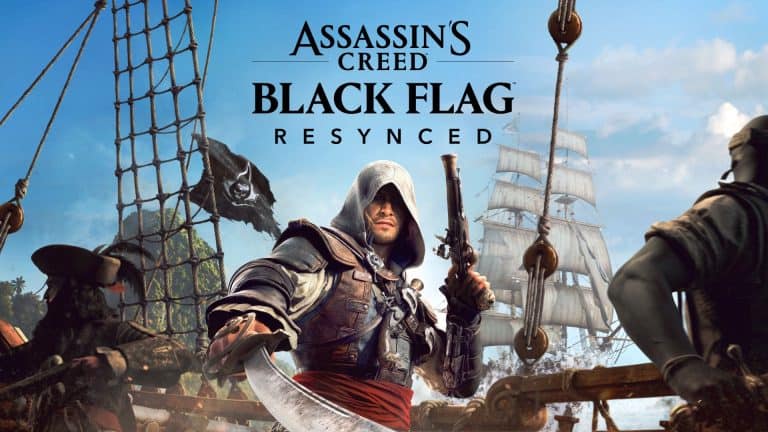
Ubisoft has released details on the accessibility options available in the upcoming Assassin’s Creed Black Flag Resynced, but will these options meet your personal needs? Let’s take a look at what’s available.
Accessibility Features List
GAMEPLAY
- Multiple difficulty settings, adjustable separately for naval, ground, activity and stealth gameplay.
- More flexible missions, with less chance of desync on stalking and chasing missions.
- Underwater gameplay intensity can be reduced, to a lesser degree by items that reduce oxygen drain and increase health, or to a greater degree by turning off the oxygen limit and shark attacks completely.
- Healing during combat is now possible, via remedies (three initially, with the ability to find/buy more).
- QTEs (‘quick time events’ that require mashing or precise timing) can be skipped.
- Aim Assistance has four settings – off, light, moderate, full.
- Blood/gore can be turned off.
- Assassinations are always successful, as in the original.
NAVIGATION & GUIDANCE
- “Pathfinder” toggleable GPS for both land and sea gameplay, which draws a path in the world to guide the player to the most recently set quest marker or player marker.
- Autopilot function to command the Jackdaw to automatically sail to follow the GPS path.
- Ship fast travel option added for the Jackdaw, functioning in a similar way to Assassins Creed: Odyssey.
- Map screen can be operated without a cursor by cycling through points of interest in a similar way to Assassin’s Creed: Shadows, but also with an in-map quest tracker that works in the same way.
- Observe feature to make it easier to spot treasure and quest objectives at a distance, also tied into location tracker to help find all things in a given area.
- Tutorials can be found in the Codex section at any time.
- Menu tutorial alerts when there are new menu functions, available at all times once unlocked.
- Settings available on first boot, allowing critical options to be adjusted before gameplay.
- Accessibility presets – a menu that is part of the first boot flow and options menu, containing groups of similar accessibility settings that can be turned on/off together with a single press. Toggle the presets or customize individual options within.
CONTROLS
- Control remapping – customize inputs, menu split by gameplay contexts, with the deepest level of customisation yet for an Assassins Creed game.
- Left handed button swaps.
- Swap holds for toggles for multitude of gameplay actions, both naval and on ground.
- X and Y axis inversion – granular inversion options for each stick, configurable separately for ship and on-foot, aiming, camera, world map navigation
- Deadzones and thresholds are configurable for triggers and both analog sticks.
- Configurable haptics (vibrations), strength is adjustable separately for gameplay, cinematics, interface and adaptive triggers (DualSense only)
- Multiple input devices supported, with auto switching – Mouse and keyboard, controllers, and combinations.
- Lock-on camera – a setting to automatically lock the camera on a nearby enemy.
- Auto movement option, double-tap to automatically walk forward.
- Area loot option, to loot all nearby bodies with a single button press.
- Camera follow setting for the camera to auto-adjust and follow behind the player.
- Advanced parkour and manual jump – customize how the game controls, whether you prefer classic AC or a more modern control scheme.
- Action flexibility – unlike the original you can now crouch anywhere, swim anywhere, and put on/remove your hood as you please.
- Shanty player directly in the HUD, for easy selection of sea shanties for the crew to sing.
- Proximity action prompts for actions at sea like boarding, docking and looting now hug the screen edges whenever you are in interaction range, so they need less precise timing/aiming to select.
- Fleet management is now accessible directly in the captain’s cabin rather than requiring the house of a separate mobile app.
AUDIO
- No audio reliance, all important information communicated by sound is also communicated visually.
- Subtitles with extensive color modifications, toggleable speaker names and speaker emotions, directional indicators, configurable background transparency and colour, and a ‘Largest’ size increment of 46px, larger than any previous Assassins Creed game.
- Gameplay captions – text equivalents for important sounds that are not already communicated visually, with directional indicators.
- Audio cues with glossary – signs and feedback allowing some navigation and path finding with non-visual cues, including support for naval gameplay events like docking availability, collisions and aiming at enemy ships, and positional audio cues to communicate the location of nearby loot.
- Separate volume sliders with preview sound, covering voice, music, foley FX (character-driven sound effects), gameplay FX, menu sounds, ambient effects, and sea shanties.
- Focus mix, which hides the less important sounds to let you focus on the ones that are critical.
- Configurable dynamic range for control over the volume difference between loudest and quietest sounds.
VISUALS
- Colourblind accessible by default where possible, for example iconography, markers and item rarity communicated by shape and background as well as colour difference.
- Colorblindness presets that provide color changes to other areas of the interface that are still color-coded, and also for essential color-coded VFX such as special attacks or ‘intuition’ glows.
- VFX customization – control over gameplay VFX such as highlights of docking spaces, areas of interest, and glow for telegraphed attacks.
- Togglable motion blur, screen shake, and camera effects to reduce blurring, distortion and uncontrolled camera movement, particularly during naval combat and minigames, and some other visually intense effects like sparks from parries and special attacks too.
- Camera sway during naval gameplay in the original has been removed by default.
- Toggable camera dot – a permanent dot in the center of the screen, on top of other reticles and HUD elements. Size and color can be customized.
- Configurable FOV angle (PC only, for performance reasons)
- Eagle vision provides temporary higher contrast between important elements, and between them and the background.
MENUS & HUD
- Clear menu text by default, in clear sans serif font on plain well contrasted backgrounds.
- Screen narration within both menus and game, for all information that is delivered through text. Including some gameplay information such as coordinates, locations, and ship info panels. Choice of two voices, and adjustable speed.
- HUD customization – ability to turn all HUD elements on or off either all at once, or individually, either with shortcut or using presets – increase opacity, resize text, resize Icons or add background to increase readability. Backgrounds also cover some in-world elements, such as interaction prompts.
- Text and icon sizes can be increased and decreased.
- Control reminders shown in the HUD for some essential controls, including a toggleable reminder module for naval controls.
Firstly, I want to credit Ubisoft for an extensive list of accessibility options. These options will definitely help to make Assassin’s Creed Black Flag Resynced infinitely more playable than the original game.
One highlight is the company’s continued focus on a highly customizable HUD, which is nice because it can benefit every player, regardless of accessibility needs. Ubisoft’s HUD customization is best in class and something I wish all developers would take notice of.
The feature set here may not be significantly different from other recent Ubisoft titles, but it’s a comprehensive list that will cover a wide range of needs. We should absolutely celebrate Ubisoft’s continued focus on accessibility while also spotlighting it to demonstrate its ongoing importance in gaming.
This is something I find refreshing in a time where accessibility seems to have become less of a focus for many developers in the last few years, despite it being a primary focus and marketing point for most AAA games only a handful of years ago.
The only thing I think Ubisoft could improve is how they announce this information. In particular, I think a video showing how these features work would be extremely helpful. When you’re dealing with accessibility features and information, it’s important to remember that not everyone who needs this information can take it in via written format.
Source: Press Release
