

Close Menu
  • News
  • Features
  • Guides
  • Interviews
  • Reviews
  • Previews
  • About Us
  • Metacritic
  • OpenCritic
  • CriticDB
X (Twitter) YouTube RSS Bluesky Discord

Follow Us

Facebook X (Twitter) YouTube Bluesky
The OuterhavenThe Outerhaven
  • Latest
  • Features
  • Guides
  • Hubs
    • Summer Game Fest 2025
    • CES 2026
  • Previews
  • Reviews
    • Video Game Reviews
    • Anime & Animation Reviews
    • Comic Book & Manga Reviews
    • Films & TV Reviews
    • Hardware Reviews
    • Tabletop & Card Game Reviews
    • Toy Reviews
  • Gaming
    • PlayStation
    • Nintendo
    • Xbox
    • PC Gaming
    • Tabletop & Card Game
    • Hardware News
    • Virtual Reality
  • Entertainment
    • Anime & Animation
    • Comic Books & Manga
    • Films & TV
    • Original English Light Novels DB
    • OELN DB
    • Pop Culture
    • Books
    • Toys
  • Podcasts
    • A-01 Podcast
    • Nintendo Entertainment Podcast
    • Spectator Mode Podcast
The OuterhavenThe Outerhaven
Home»News»Gaming News»PC Gaming»Valve’s Steam Game Recording Is Now Live: How to Use It and What to Expect

Valve’s Steam Game Recording Is Now Live: How to Use It and What to Expect

Valve is showing others how it should be done
By Keith MitchellNovember 6, 2024
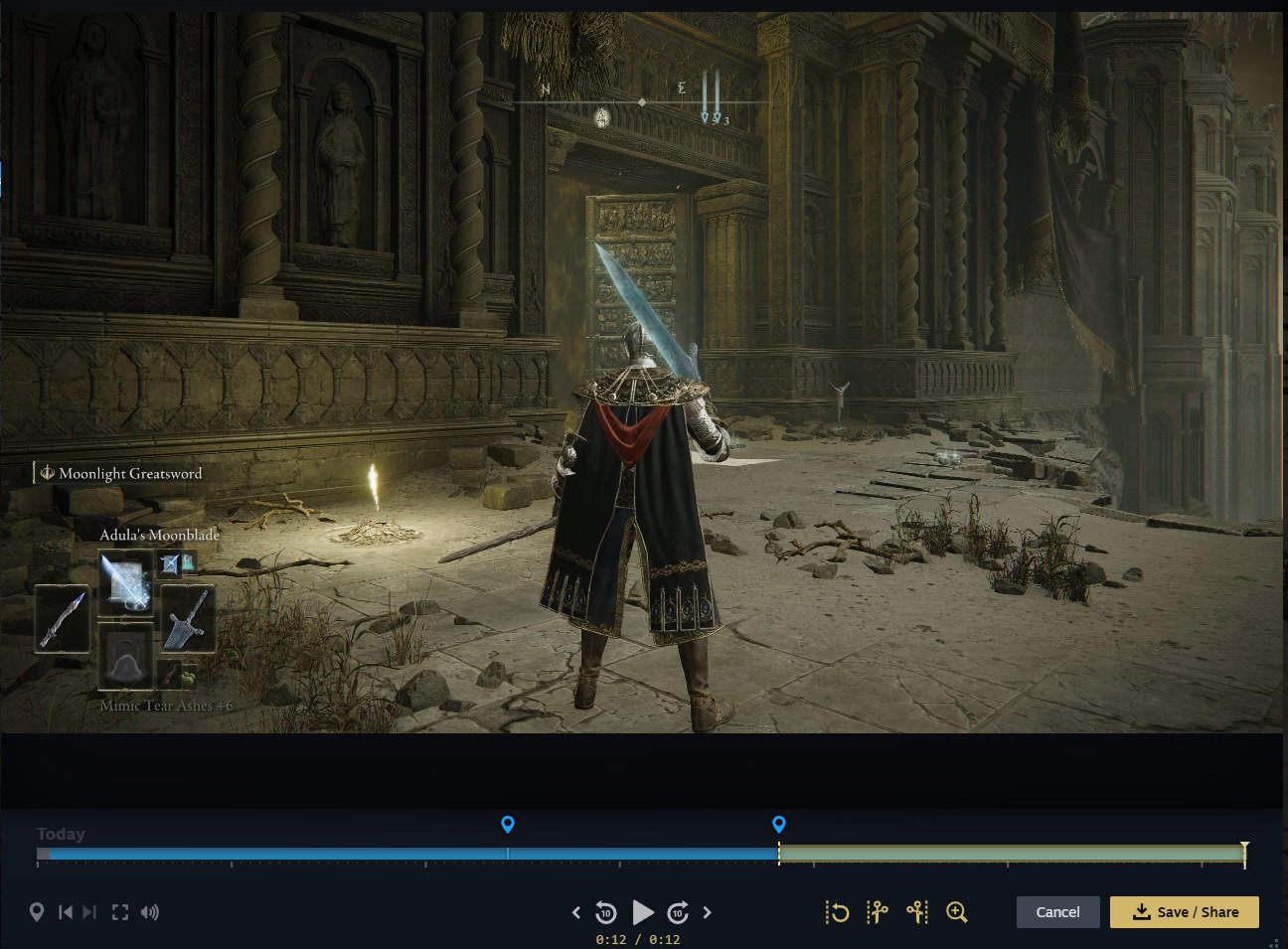
Valve Game Recording-02

Valve has officially rolled out its Steam Game Recording feature, giving PC gamers a simple, built-in way to record gameplay. Available now across supported titles, the feature eliminates the need for third-party tools like OBS or ShadowPlay, putting recording tools directly inside the Steam client.

What Is Steam Game Recording?

Steam Game Recording is Valve’s new in-client system that allows players to capture gameplay video and clips with minimal setup. The feature is integrated directly into Steam, meaning you won’t have to rely on additional software for most recording needs.
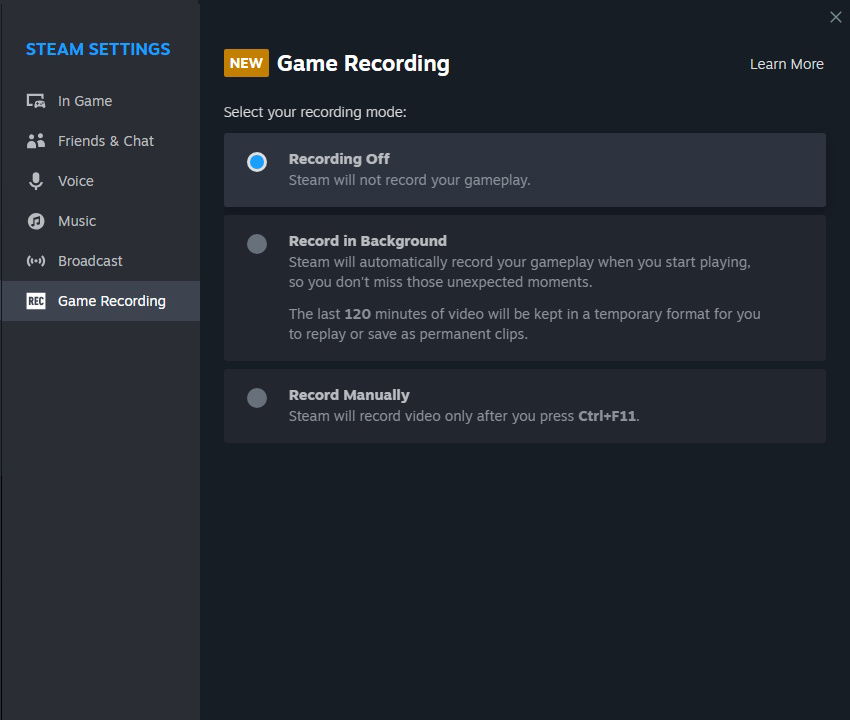
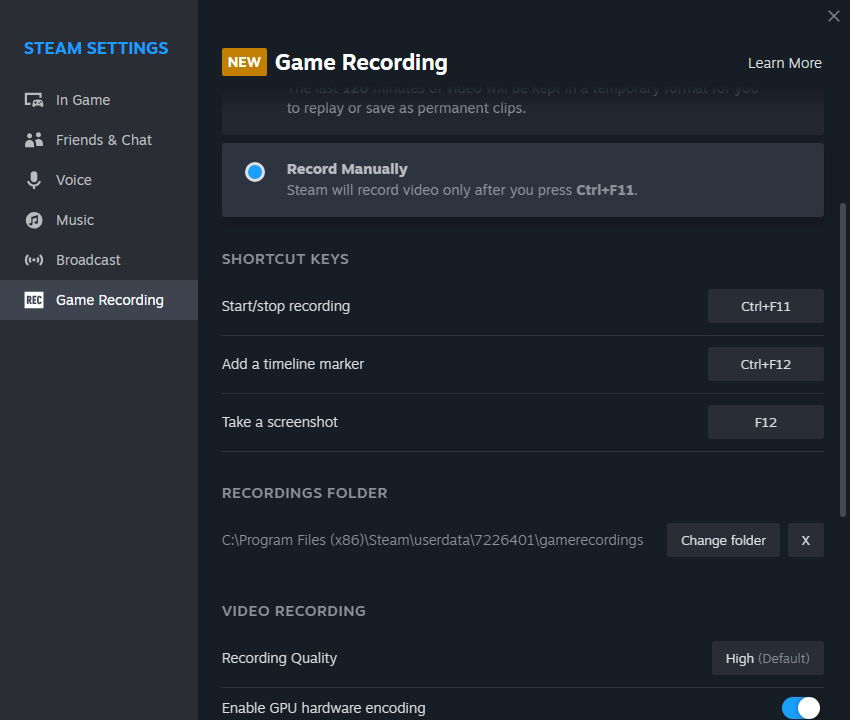
Valve Steam Recording Screenshot-01 Valve Steam Recording Screenshot-02

How to Use Steam Game Recording

Getting started is straightforward. Once your Steam client is updated:

  • Open Steam and launch a supported game.
  • Press the default hotkey (Shift + Tab) to bring up the overlay.
  • Select “Record” or “Clip” to capture gameplay.
  • Recordings are automatically saved to your chosen folder for easy sharing.

Key Features

  • Built-in support across many Steam titles.
  • Simple controls through the Steam overlay.
  • Automatic saving and easy sharing of clips.
  • Reduces the need for third-party recording tools.

Why It Matters

This update is significant for streamers, content creators, and casual players alike. By adding native recording, Valve makes it easier to share gameplay moments, troubleshoot issues, or save personal highlights without the need for additional software.

Frequently Asked Questions

Does Steam Game Recording work on all games?

Most titles that run through Steam are supported, but some older or non-standard games may have limited functionality.

Can I still use OBS or other tools?

Yes. Steam’s recorder is optional. Advanced users may still prefer OBS, Nvidia ShadowPlay, or AMD ReLive for features like scene switching or overlays.

Where are recordings saved?

By default, recordings are stored in your Steam folder, but you can change the destination in the Steam settings.

Final Thoughts

Valve’s Steam Game Recording feature is a smart addition to the platform. It simplifies capturing and sharing gameplay, giving PC gamers a native option without the complexity of third-party software. Whether you’re streaming, creating content, or just saving personal highlights, this feature is a welcome quality-of-life improvement.

steam Steam Deck Steam OS valve
Keith Mitchell - Headshot-PS_Gear_400x400
Keith Mitchell
  • X (Twitter)
  • LinkedIn

Keith D. Mitchell is the Founder and Editor-in-Chief of The Outerhaven, covering games and tech for over 14 years. A lifelong PC gamer who began building PCs at age eight, he is a hardware enthusiast, Soulslike devotee, and regular attendee of major gaming and technology events.

Latest Articles

ONE PIECE Returns to Crunchyroll on April 5

February 17, 2026

WEBTOON Champions Creators and the Future of Comics at Emerald City Comic Con 2026

February 17, 2026

Boruto Receives 24/7 Channel for FREE on Pluto TV

February 17, 2026

First RPG Maker Awards Announces Winners

February 17, 2026

WWE 2K26 Details Universe Mode & Creations

February 17, 2026

Why I Love .hack: A Series About Humanity and Identity

February 17, 2026
About Us • Our Team • Contact Us • Privacy Policy • Review Policy
Ethics Policy • Terms of Service • Fact Checking & Corrections Policy • Editorial Policy

Find our reviews on Metacritic • OpenCritic • CriticDB
Copyright @2026 The Outerhaven Productions

Type above and press Enter to search. Press Esc to cancel.