

Close Menu
  • Latest
  • Help Support Independent Journalism
  • Features
  • Gaming
    • All Gaming
    • Nintendo
    • PlayStation
    • Xbox
    • PC Gaming
    • VR
  • Guides
  • Entertainment
    • All Entertainment
    • Anime & Animation
    • Movies and TV
    • Books
    • Manga & Comics
    • Toys
    • Geek
    • Pop Culture
  • Previews
  • Reviews
    • All Reviews
    • Video Game
    • Anime & Animation
    • Movie & TV
    • Comic Book & Manga
    • Tech & Gear
    • Food
    • Book
    • Toys
    • Tabletop and Card Game
  • Podcasts
    • A-01 Podcast
    • Nintendo Entertainment Podcast
    • Spectator Mode Podcast
  • Contact Us
X (Twitter) YouTube RSS Bluesky Discord

Follow Us

X (Twitter) Instagram YouTube Bluesky Discord
The OuterhavenThe Outerhaven
  • Latest
  • Features
  • Guides
  • Previews
  • Reviews
    • Video Game Reviews
    • Anime & Animation Reviews
    • Comic Book & Manga Reviews
    • Films & TV Reviews
    • Tech Reviews
    • Tabletop & Card Game Reviews
    • Toy Reviews
  • Gaming
    • PlayStation
    • Nintendo
    • Xbox
    • PC Gaming
    • Tabletop & Card Game
    • Virtual Reality
  • Entertainment
    • Anime & Animation
    • Comic Books & Manga
    • Films & TV
    • Original English Light Novels DB
    • OELN DB
    • Pop Culture
    • Books
    • Toys
  • Tech News
  • Podcasts
    • A-01 Podcast
    • Nintendo Entertainment Podcast
    • Spectator Mode Podcast
The OuterhavenThe Outerhaven

How to configure Extended Storage on the PlayStation 5

By Keith MitchellNovember 13, 2020
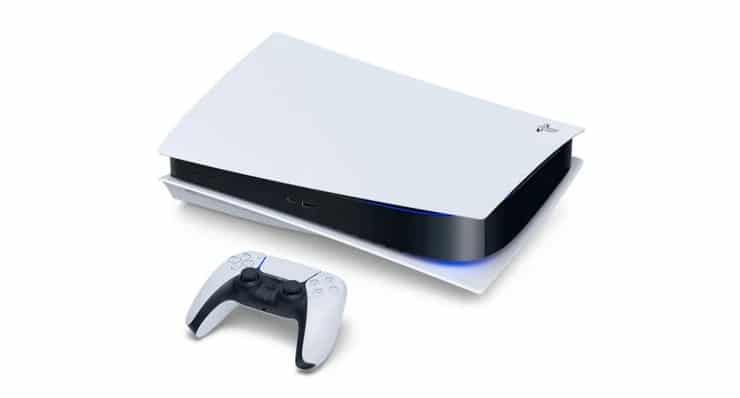
PS5 can lay sideways

This guide will walk you through the process of setting up a brand new USB external drive to your PlayStation 5 so that it can be used as extended storage. 

If you want to see how to either transfer games from your PS4 to the PS5 via an external disk, check out this guide. If you want to see how to transfer games from the PS4 to PS5 over the network, check out this guide.

In this instance, we are using a 2TB Western Digital Elements external drive. It’s fairly cheap as it’s priced under $70, has plenty of storage, and let’s be honest here; most external USB drives are 5400 RPM drives. Except for external SSD’s, all external drives are going to perform the same.

Setting up the external drive on the PS5

To start, connect the external drive to the PlayStation 5 and then navigate to Settings -> Storage -> Extended Storage. The type of USB drive will be highlighted, and the option to “Format as Extended Storage” will be shown. You must format the drive; otherwise, the PS5 will not be able to use it. 

Highlight “Format as Extended Storage” and press X.
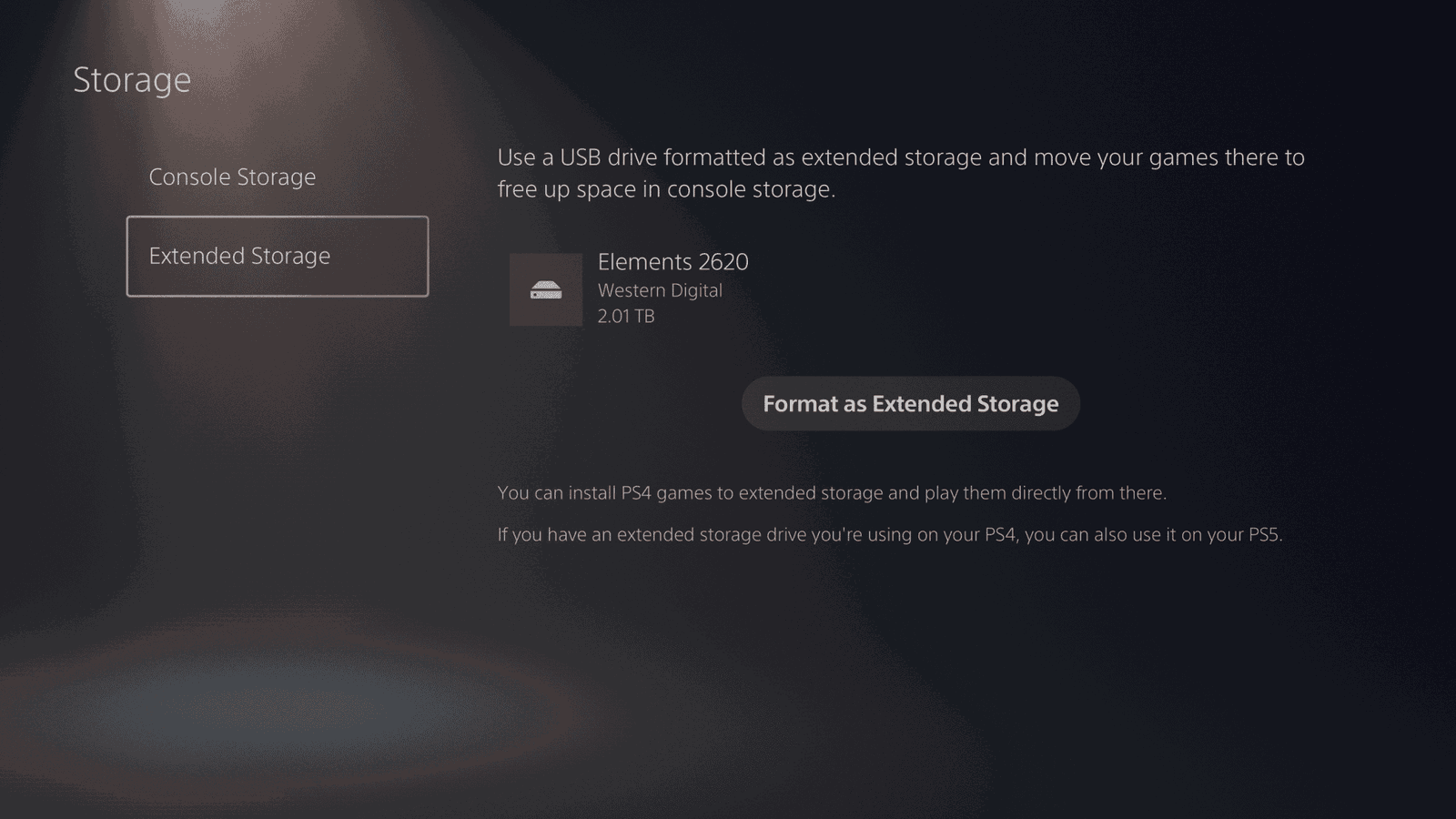
Configure Extended Storage PS5-01

You’ll see a warning screen that states everything on the drive will be deleted. If this is a drive you just purchased or one you’ve had lying around and you’re certain there’s nothing on it that you need, select Yes, and press X.
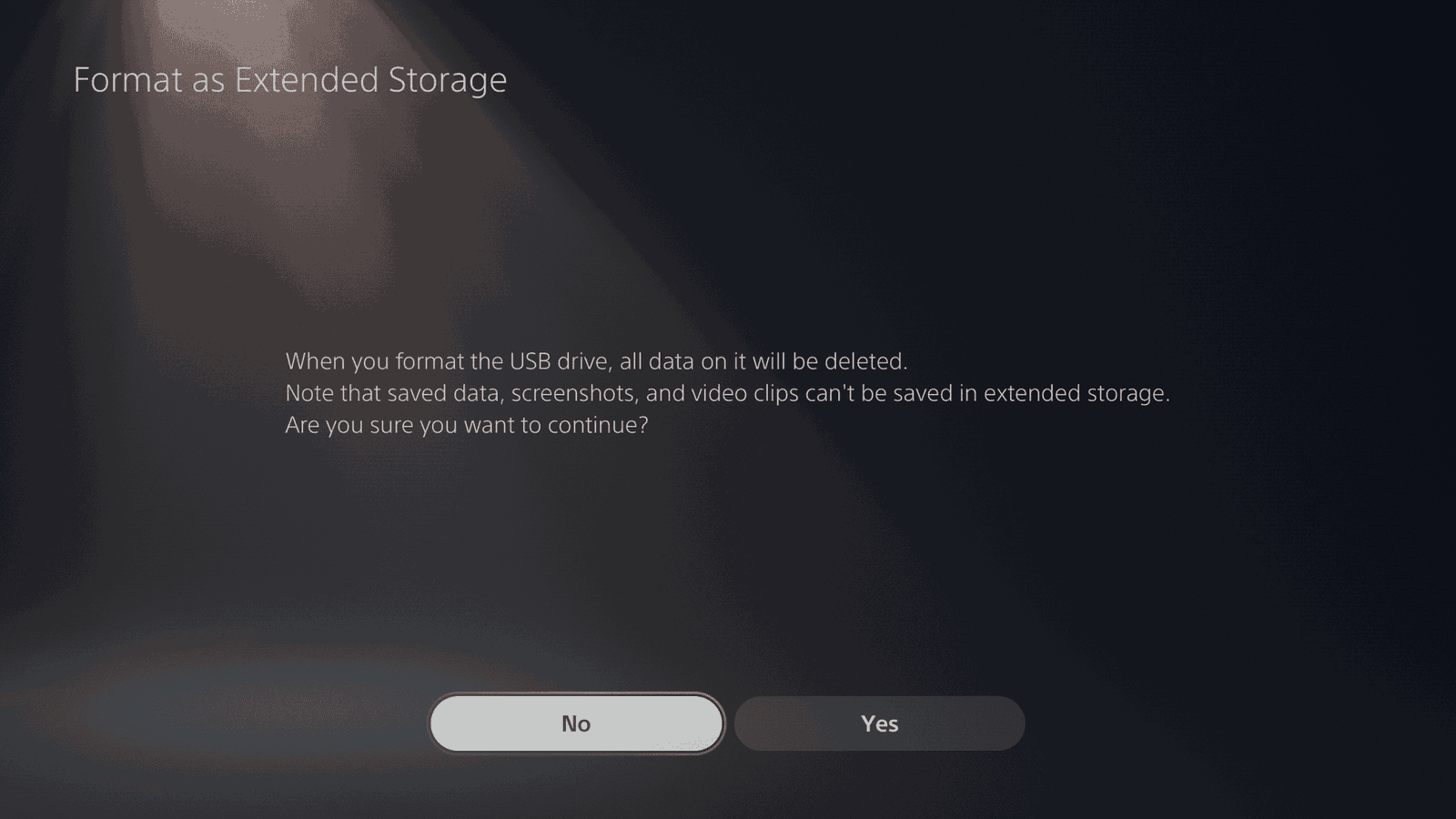
Configure Extended Storage PS5-02

The PS5 will then format the external drive.

Configure Extended Storage PS5-03

Once completed, a screen informing you that the format has been completed. It will also inform you that PS4 games and apps can be installed on the extended storage. Select Ok, and press X.
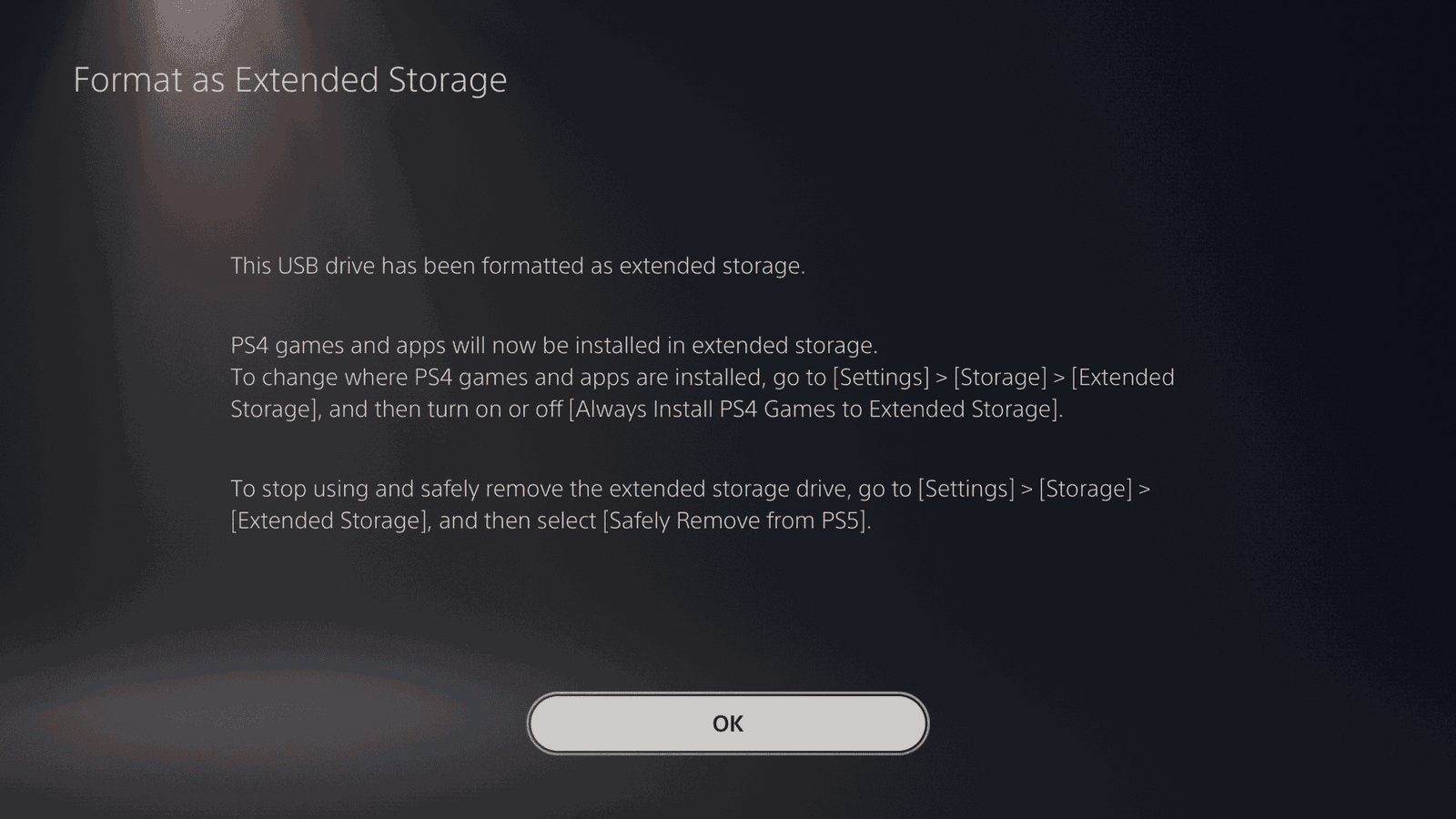
Configure Extended Storage PS5-04

You’ll be taken back to the Extended Storage screen. Now the drive has been formatted,  it will show less space than before due to the format. Here, you’ll want to make sure that the option “Always Install PS4 Games to Extended Storage” is enabled. This way, any PS4 games installed will not install games to the SSD storage, which is already limited.
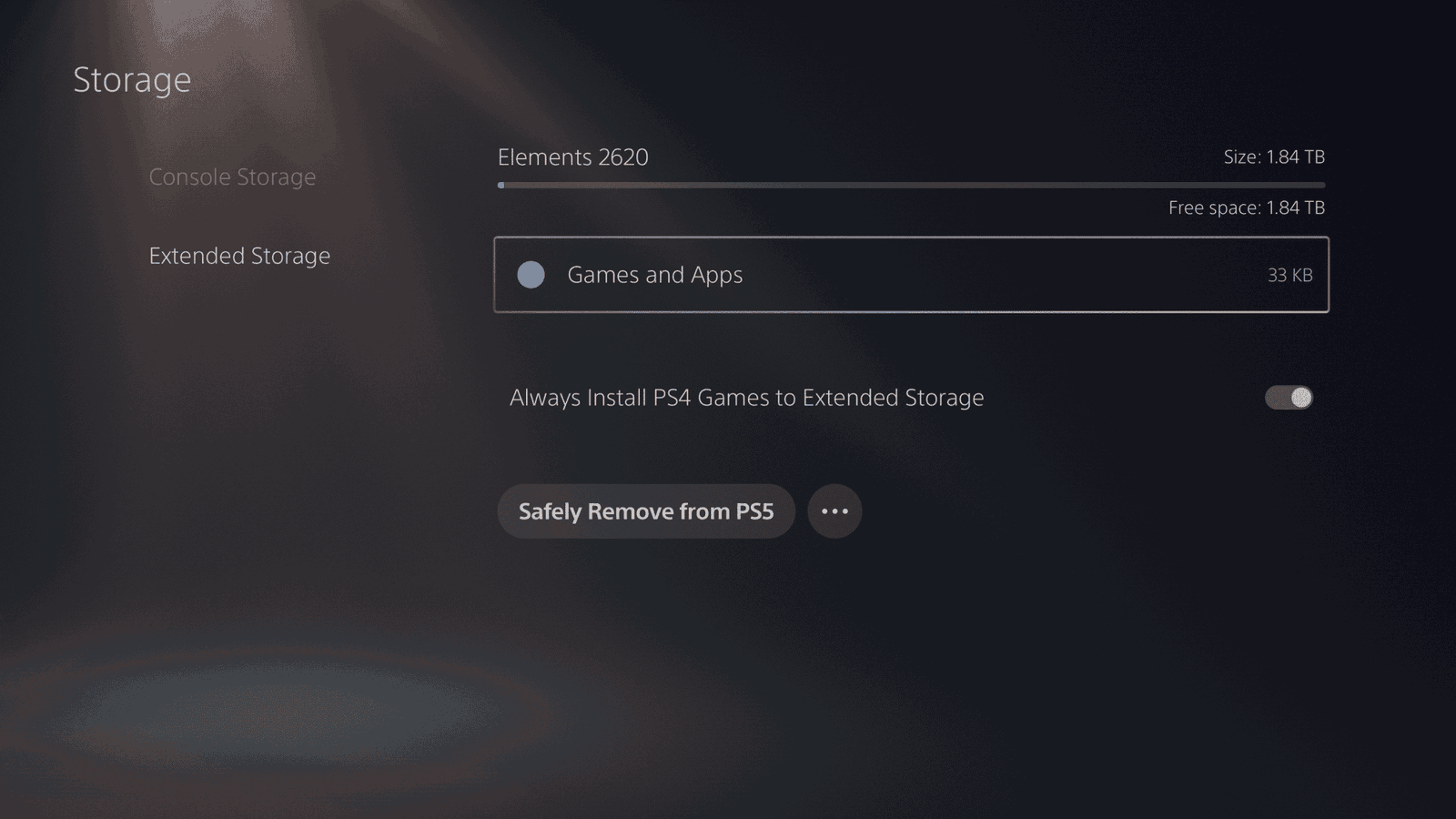
Configure Extended Storage PS5-05


That’s it!

If you want to see how to either transfer games from your PS4 to the PS5 via an external disk, check out this guide. If you want to see how to transfer games from the PS4 to PS5 over the network, check out this guide.

extended storage PlayStation 5 PS5
Keith Mitchell - Headshot-PS_Gear_400x400
Keith Mitchell
  • X (Twitter)
  • LinkedIn

Keith D. Mitchell is the founder and Editor-in-Chief of The Outerhaven, where he has been covering video games and technology for more than 14 years. A lifelong PC gamer, he began building PCs at just eight years old and still loves talking about hardware as much as playing games. His passion for challenging experiences has made him a devoted Soulslike fan, having beaten nearly every FromSoftware release. Keith regularly attends major gaming and technology events to bring firsthand coverage to readers, and continues to enjoy writing about the games and gear that shaped his love for the industry.

Latest Articles

Microsoft Announces Xbox Developer Direct for January 22, 2026 Featuring Forza Horizon 6, Fable, And Beast of Reincarnation

January 8, 2026

The Legend Of Heroes: Trails Beyond The Horizon Review – Building The Lore

January 8, 2026

Maaya Sakamoto’s New Single “Tokei” Available on Digital Platforms

January 8, 2026

Kakao Entertainment’s Global Band hrtz.wav Confirms Early 2026 Debut

January 8, 2026

Coloring Books for Austen Lovers, Manga Fans & Cozy Creatives Coming This Winter from Ten Speed

January 8, 2026

bibo Is the Most Unexpectedly Charming Robot I Saw at CES 2026

January 8, 2026
About Us • Our Team • Contact Us • Privacy Policy • Review Policy
Ethics Policy • Terms of Service • Metacritic • OpenCritic • CriticDB
Ownership & Funding Disclosure • Fact Checking & Corrections Policy • Editorial Policy
Copyright @2026 The Outerhaven Productions

Type above and press Enter to search. Press Esc to cancel.