

While RGB lighting has been a staple in the consumer space for quite some time, the question over the past few years has been what else can be done with this to make it even more immersive and impactful. Then, of course, we started seeing the rise of home assistants and AI, so it only made sense that we’d start to see companies incorporate AI into lighting, and that’s what we have with the Lepro TB1 AI Smart Table Lamp.
Product Name: TB1 AI Smart Table Lamp
Manufacturer: Lepro
Release Date:
Pricing: $75.99 (Available on Amazon.com)
What’s in the box
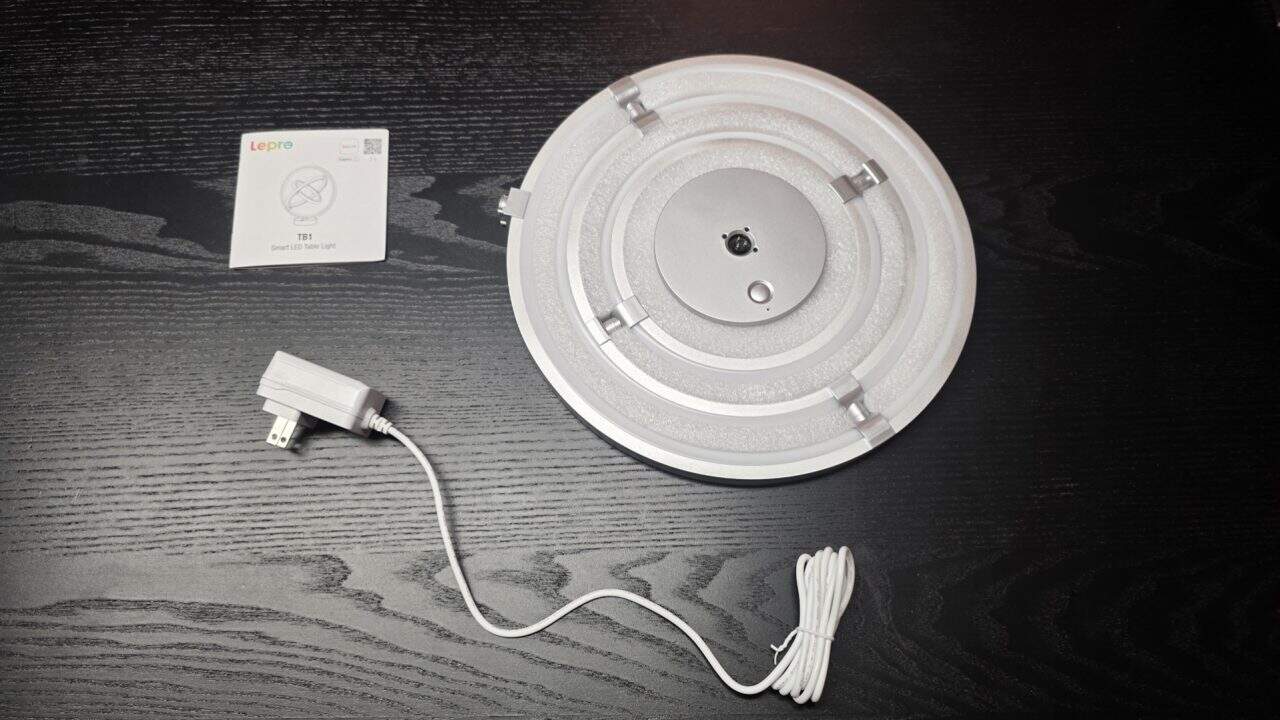
- Lepro TB1 AI Smart Table Lamp unit that includes the main lamp assembly with three adjustable RGB+IC LED rings
- Standing Base
- Power adapter and cable
- Quick start guide / manual – basic instructions for assembly and app setup.
Setting Up Lepro TB1 AI Smart Table Lamp
While the Lepro TB1 AI Smart Table Lamp looks like some funky space-aged light that my son has dubbed “Space Light”, setting it up was pretty seamless. After carefully lifting it out of the box, you’re presented with the lighting array that gets firmly inserted into the base. That’s it, pretty straightforward, and thankfully, I didn’t have to use any extra strength to make sure it all snapped into place.
The Lepro TB1 AI Smart Table Lamp sits up perfectly balanced, with no wobbling, which goes to show the quality that was put into this. Now, I know you’re probably going to say, “that’s expected”, but I’ve had my fair share of RGB lighting devices that had more than a few defects out of the box, so I look at everything and give kudos to a job that’s well done, and it’s deserved here.
Once that’s all done, you plug in the lamp, it flashes blue, letting you know you can pair it with the Lepro app that can be downloaded on the Apple App Store or Google Play. Pairing is pretty straightforward, but with most applications anymore, you will need an account before you can connect the lamp. And you do need the app to make the lamp work, unless you just want to look at it as it will eventually start cycling through various colors. It works, sure, but it’s an AI lamp, and you want to gain access to those AI features.
How does it work
Ever since I took possession of the Lepro TB1 AI Smart Table Lamp, I’ve been using it as an eye candy piece in my living room and in my office workspace, where I could also test out the device. And since this is an AI-enabled device, I’ve also connected it up to my Google Home (sometimes dumb) assistant, to some mixed operations.
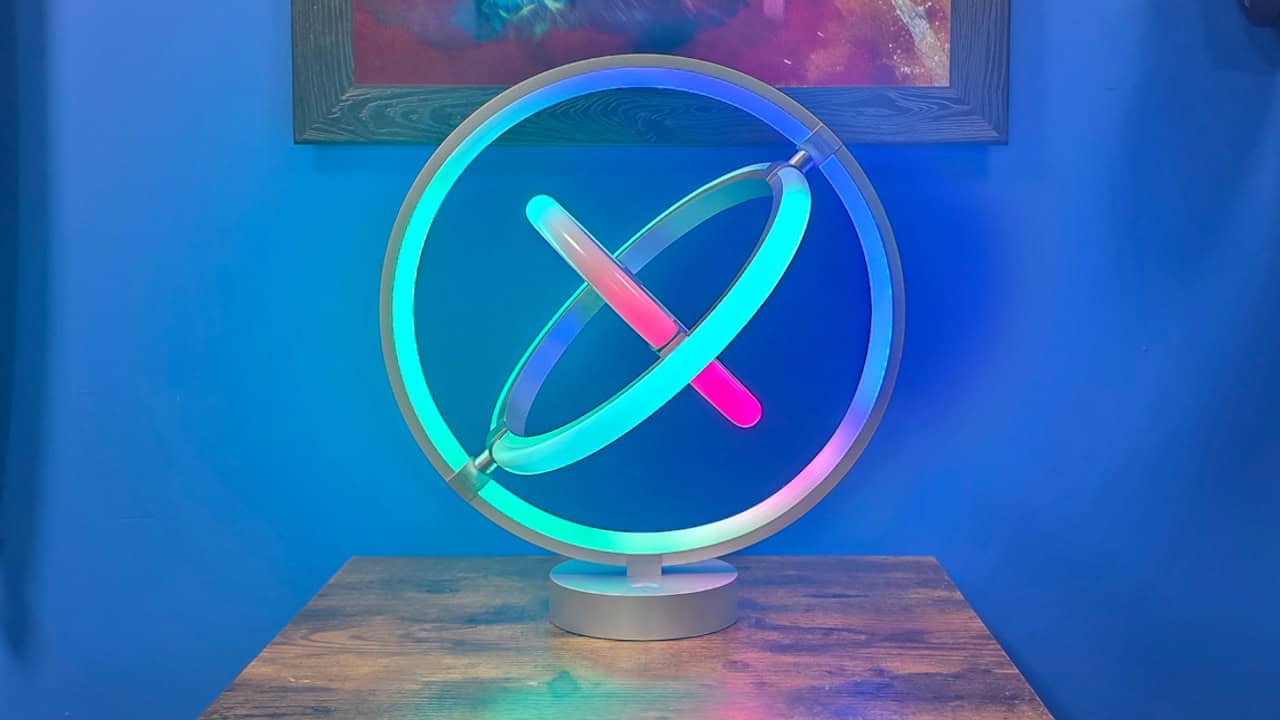
As a lamp, I have to agree that this is some impressive stuff, and thanks to RGBIC technology, you’re able to control individual segments of the LED on each of the rings, which leads to some really cool lighting schemes. The lighting isn’t super bright (150 Lumens), and it works great for being a centerpiece of a room or setting a mood within a slightly or completely dark room.
The app is needed to get the full benefit of the Lepro TB1 Smart Table Lamp, as it lets you set up customized color themes by changing the color of each light within the lamp, which I found helpful. If you don’t like the default setup, you can erase it all and do your own look and can spend hours making it look the way you like it.
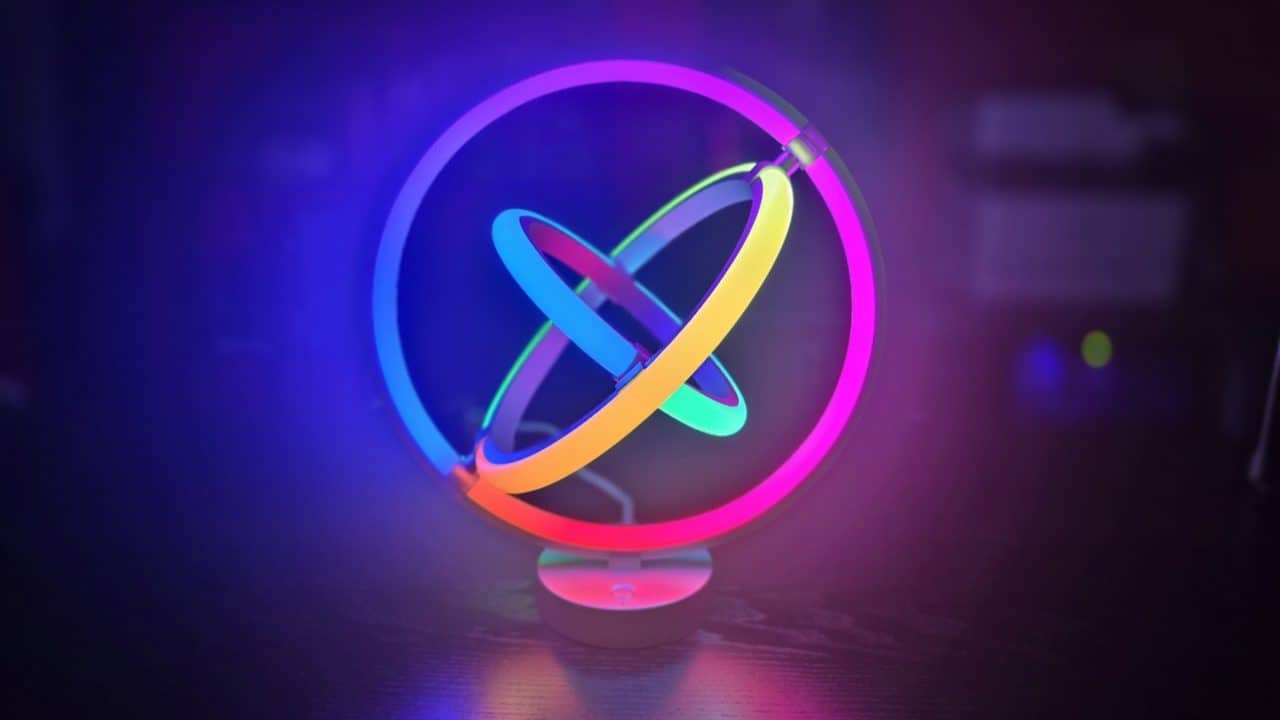
Or you can use the AI voice commands function by using the smartphone app or your home assistant (Alexa and Google Home Assistant). You can say things like “I want it to look like a rainy day with lightning” or “make it look like Spider-Man”, then the AI will do its best to make the lamp resemble what you asked for, in various sequences, and it’s also very hit and miss. There are dozens of combinations that you can do, and it’s a bit of fun to sit there and think of something cool that you’d want to see.
There’s a photo mode that lets you take a picture or upload one to the app, and the AI will try its best to make some sort of theme out of the photo. I didn’t really like it, as nothing I uploaded turned into anything that I wanted, but I wanted to mention that.
And if you like to ham out, there’s a music mode that will have the lamp recreate a dance party lighting setup and will react to the music that you’re playing. My son had a blast with this, coming into my office and playing various types of music. Not to be undone, I also had some fun with it while listening to my favorite video game soundtracks and just sitting down and watching the lamp go to town.
What I Found Odd
More than anything, it is a bit perplexing that the app doesn’t feature any presets, and instead you need to use the AI. Which, I understand is the big feature of the device, it doesn’t excuse that. I can only hope that Lepro updates the app with some presets in the future.
I do think that it would have been really cool if the lamp had motors in the rings that would let it move on its own. But at the same time, it would also increase the pricing, and then there’s the bit of adding something like that, which could break down.
Final Verdict
To be honest, I wasn’t really convinced that adding an AI to something as simple as a lamp would really be much of anything. But the more I’ve played with this, the more I think it does have its implications. I’d recommend this for anyone who is looking for something to make their room a bit more interesting, or for content creators who like to showcase lighting in their setups.
While the AI is the killer feature, it could do with some improvement as it doesn’t always do what I wanted, but I suppose that’s just the state of AI as a whole. This is a solid device, and while unexpected, I do recommend it for what it is.
The Lepro TB1 AI Smart Table Lamp ends up being a surprisingly fun and visually striking addition, with plenty of customization thanks to its RGBIC lighting and AI features. While the AI can be inconsistent and the lack of presets is noticeable, it still delivers as a unique centerpiece for a room or setup. It’s not perfect, but for what it offers, it’s an easy recommendation.
