

Close Menu
  • Latest
  • Help Support Independent Journalism
  • Features
  • Gaming
    • All Gaming
    • Nintendo
    • PlayStation
    • Xbox
    • PC Gaming
    • Card & Tabletop
    • VR
  • Guides
  • Entertainment
    • All Entertainment
    • Anime & Animation
    • Movies and TV
    • Books
    • Manga & Comics
    • Toys
    • Geek
    • Culture
  • Previews
  • Reviews
    • All Reviews
    • Video Game
    • Anime & Animation
    • Movie & TV
    • Comic Book & Manga
    • Tech & Gear
    • Food
    • Book
    • Toys
    • Tabletop and Card Game
  • Podcasts
    • A-01 Podcast
    • Nintendo Entertainment Podcast
    • Spectator Mode Podcast
  • Contact Us
X (Twitter) YouTube RSS Bluesky Discord

Follow Us

X (Twitter) Instagram YouTube Bluesky Discord
The OuterhavenThe Outerhaven
  • Latest
  • Features
  • Guides
  • Previews
  • Reviews
    • Video Game Reviews
    • Anime & Animation Reviews
    • Comic Book & Manga Reviews
    • Films & TV Reviews
    • Tech Reviews
    • Tabletop and Card Game Reviews
    • Toy Reviews
  • Gaming
    • PlayStation
    • Nintendo
    • Xbox
    • PC Gaming
    • Retro Gaming
    • Tabletop
    • Virtual Reality
  • Entertainment
    • Anime & Animation
    • Comic Books & Manga
    • Films & TV
    • Original English Light Novels DB
    • OELN DB
    • Culture
    • Books
    • Toys
  • Tech
  • Podcasts
    • A-01 Podcast
    • Nintendo Entertainment Podcast
    • Spectator Mode Podcast
The OuterhavenThe Outerhaven
Home»News»Gaming News»Microsoft details new ‘FPS Boost’ mode for Xbox Series S|X

Microsoft details new ‘FPS Boost’ mode for Xbox Series S|X

By Poch SaldanaFebruary 17, 2021

A big part of Microsoft’s agenda for this generation of consoles is a major focus on backward compatibility. Features such as Auto HDR, which retroactively adds HDR to SDR titles on a system-wide level, can already be utilized by Xbox Series owner but details of how previously released game’s framerate can be boosted, which they had demoed with Fallout 4 back in October, have been sparse—until now. 

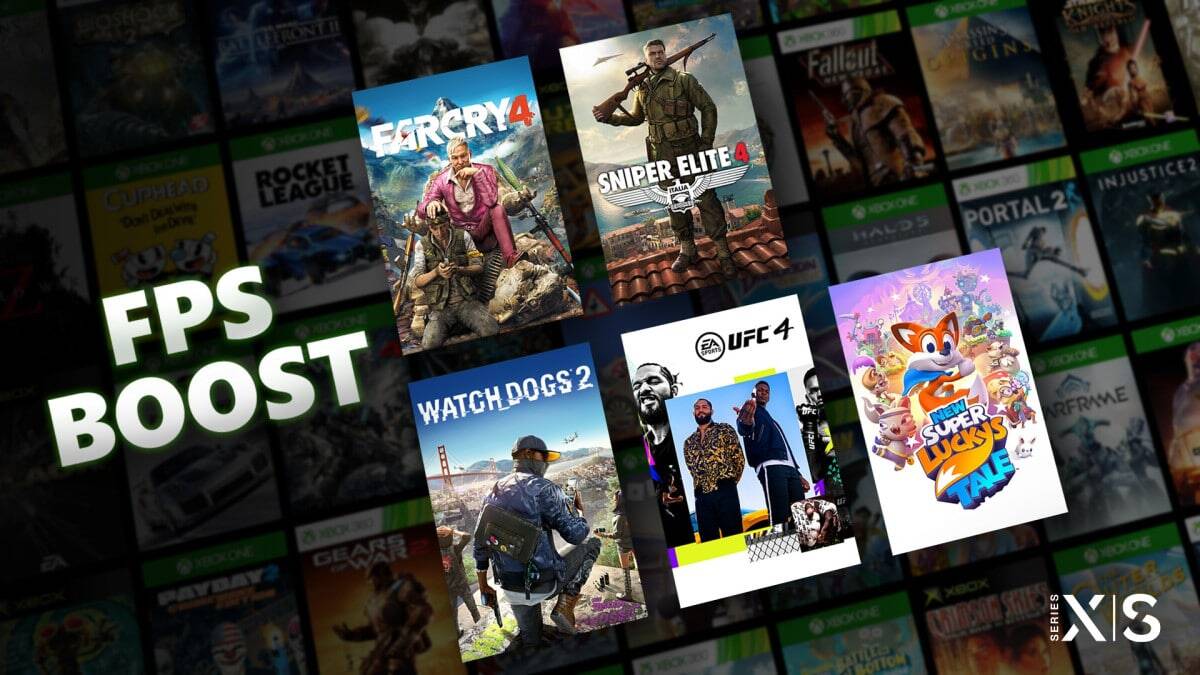
Beginning today, five titles will make use of FPS Boost—Far Cry 4, New Super Lucky’s Tale, Sniper Elite 4, UFC 4, and Watch Dogs 2. All these titles will now run at 60fps while Super Lucky’s Tale is capable of hitting a stable 120fps. Digital Foundry has also shared their analysis of this new Xbox feature and gave high praise with the only caveat being Sniper Elite 4 not holding a completely locked 60fps on Xbox Series S (though it should be noted that the frame drops were still rather minimal usually dropping to the 50s during x-ray shots). 

While the five titles previously listed are currently the only games that support FPS Boost, Microsoft assures that more titles will support the new feature soon. Additionally, the company announced that a system update coming this Spring will allow users to toggle both Auto HDR and FPS Boost on or off giving players more options on how to play their games. 

FPS Boost microsoft Xbox Xbox Game Pass
Avatar photo
Poch Saldana
  • Website
  • X (Twitter)
  • Instagram

Big fan of games, writing, and writing about games! Two things Poch will always stand by--the Vita was ahead of its time and the world is a better place with a new Rhythm Heaven on the horizon.

Latest Articles

RAM Prices Are Spiking, Micron Is Leaving, and PC Gamers Are About to Feel It

December 9, 2025

Crunchyroll Announces the End of Free Ad-Supported Streaming

December 9, 2025

A Time Slip of 10,000 Years: Prime Rose Receives Home Media Release from AnimEgo

December 8, 2025

Crunchyroll Manga Announces What’s New in December 2025

December 8, 2025

My Hero Academia: Vigilantes Sets January 5 Premiere in New Trailer

December 8, 2025

Calamity Angels: Special Delivery Heading To Steam 2026 Closed Beta Sign Ups Are Live

December 8, 2025
About Us • Our Team • Contact Us • Privacy Policy • Review Policy
Ethics Policy • Terms of Service • Metacritic • OpenCritic • CriticDB
Ownership & Funding Disclosure • Fact Checking & Corrections Policy • Editorial Policy
Copyright @2025 The Outerhaven Productions

Type above and press Enter to search. Press Esc to cancel.