

One thing I found frustrating in Nioh 3 is how certain combat moves are mapped by default. Some abilities require you to press a direction on the analog stick along with a button, either forward or backward. In the middle of fast-paced combat, this can easily lead to missed inputs and unnecessary mistakes.
If you have not played the game yet, or if you already have and felt like some moves do not activate consistently, this is likely the reason. Directional inputs can be finicky, especially when you are trying to react quickly or reposition at the same time. Thankfully, there is an easy way to make combat feel much more reliable by adjusting a controller setting.
Here’s How You Do It
By default, Nioh 3 uses Control Style A, which relies on directional inputs combined with button presses. This is how it looks before making any changes.
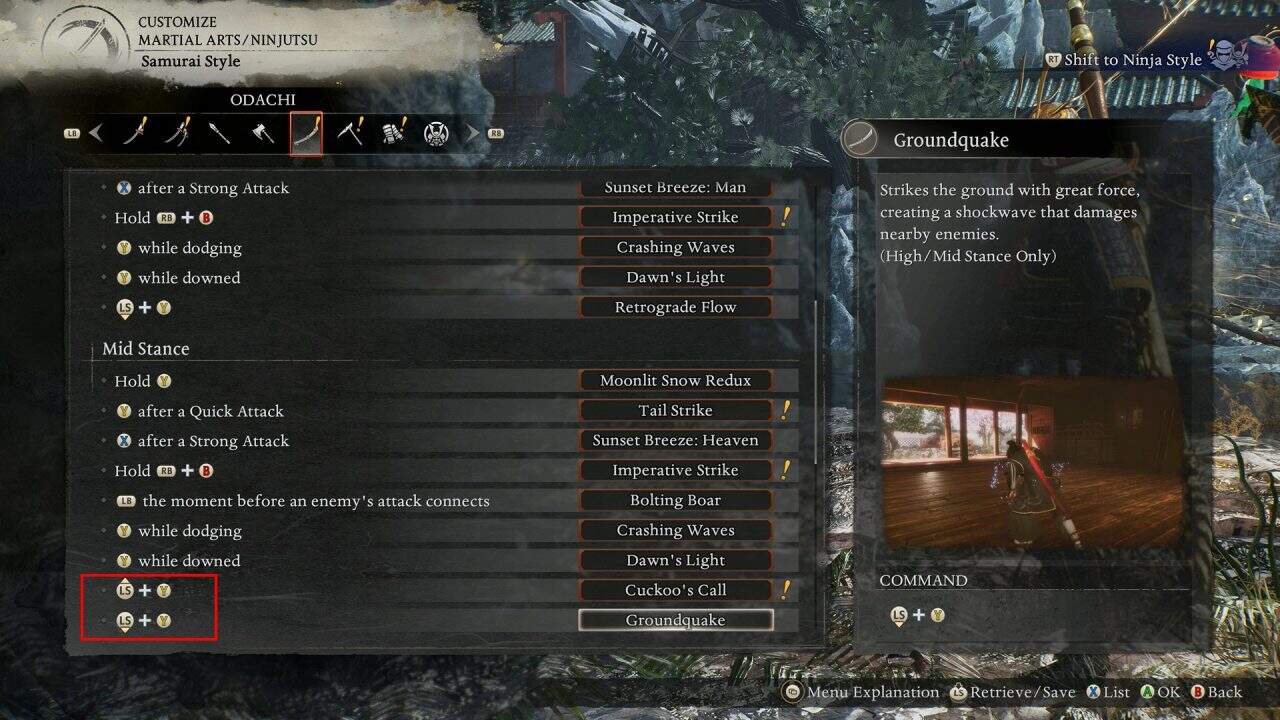
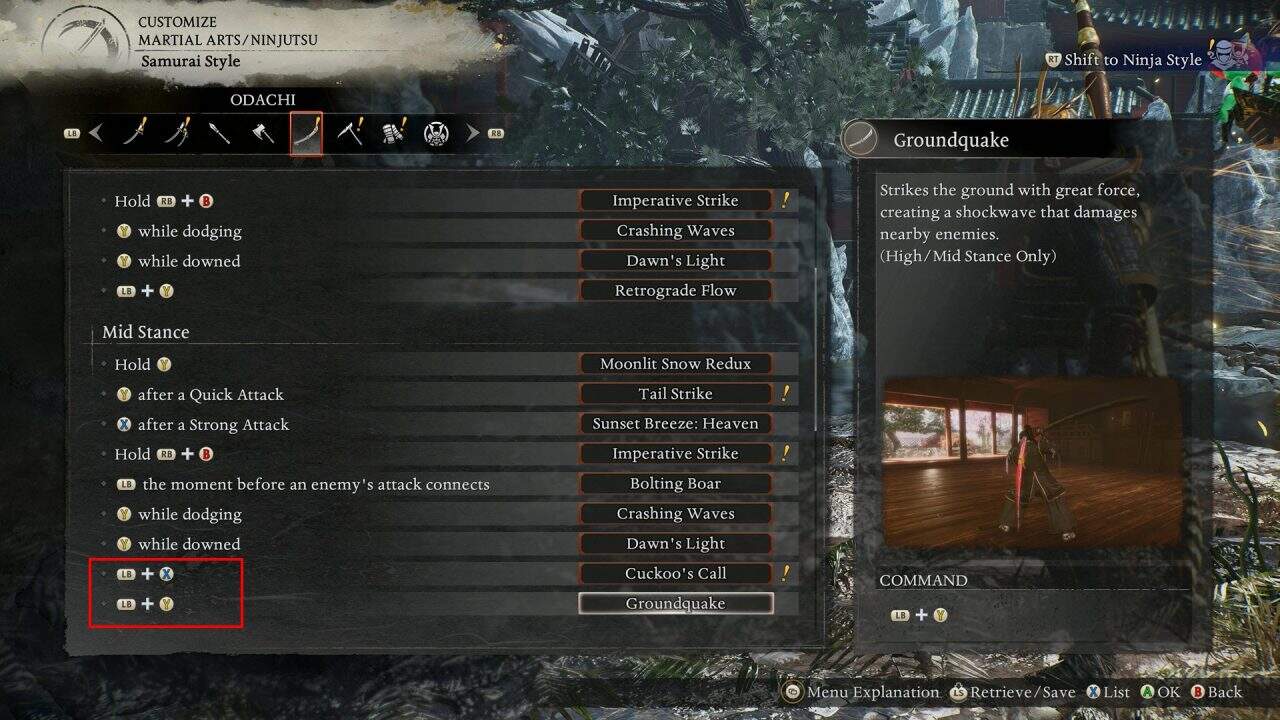
Switching to Control Style B changes how these moves are executed. Instead of pushing the analog stick forward or backward, you can activate the same abilities by holding the Left Bumper and pressing the corresponding button.
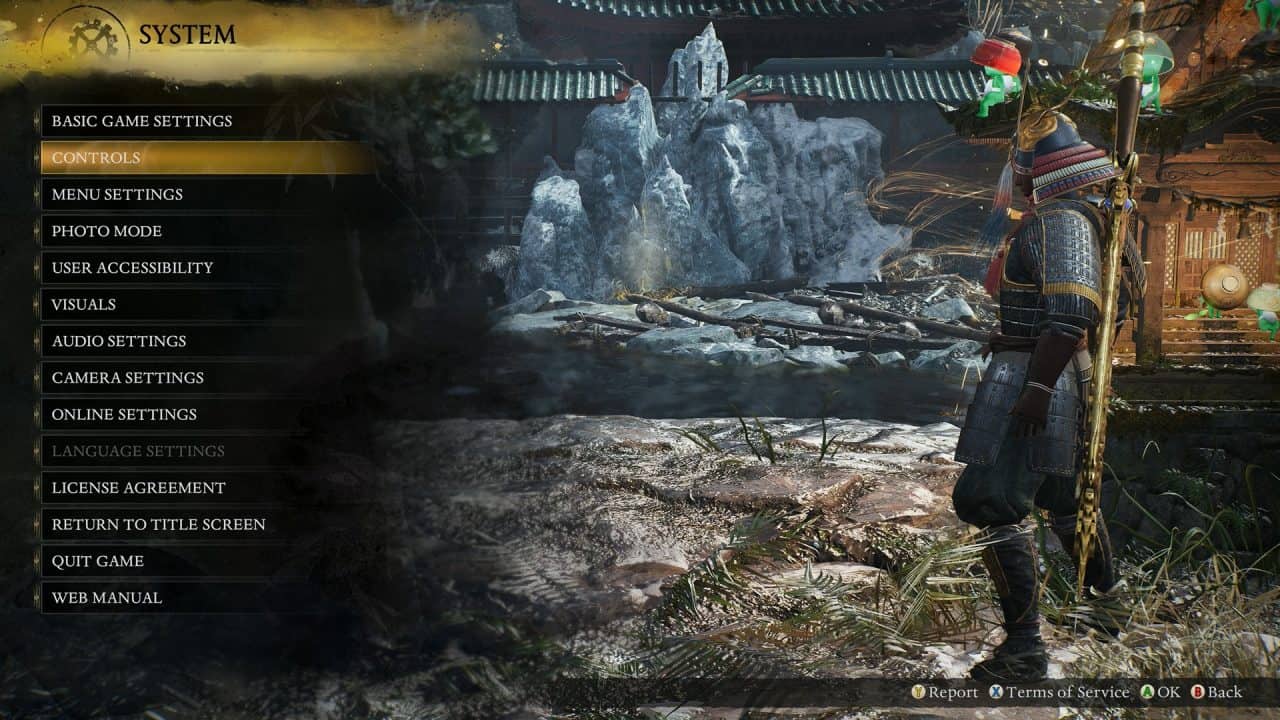
To make this change, open the Settings menu and go to Controls.
Next, select Configure Controls.
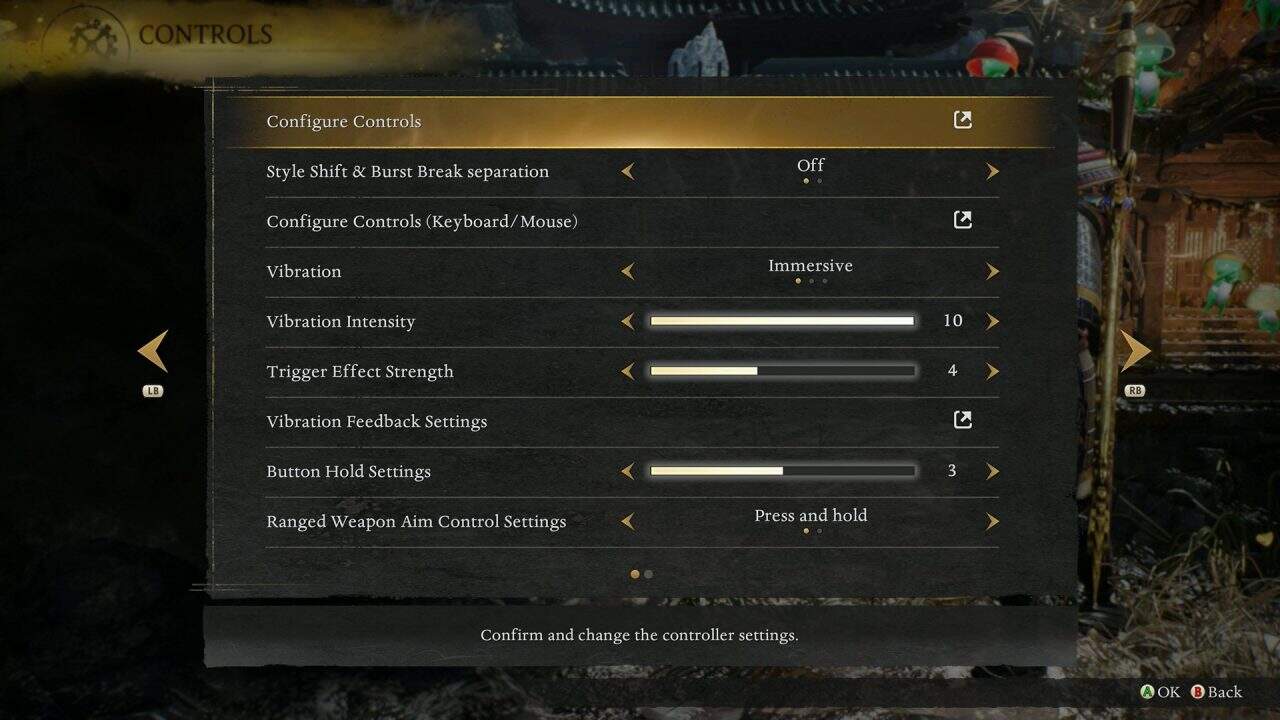
From there, change the control type from Type A to Type B.
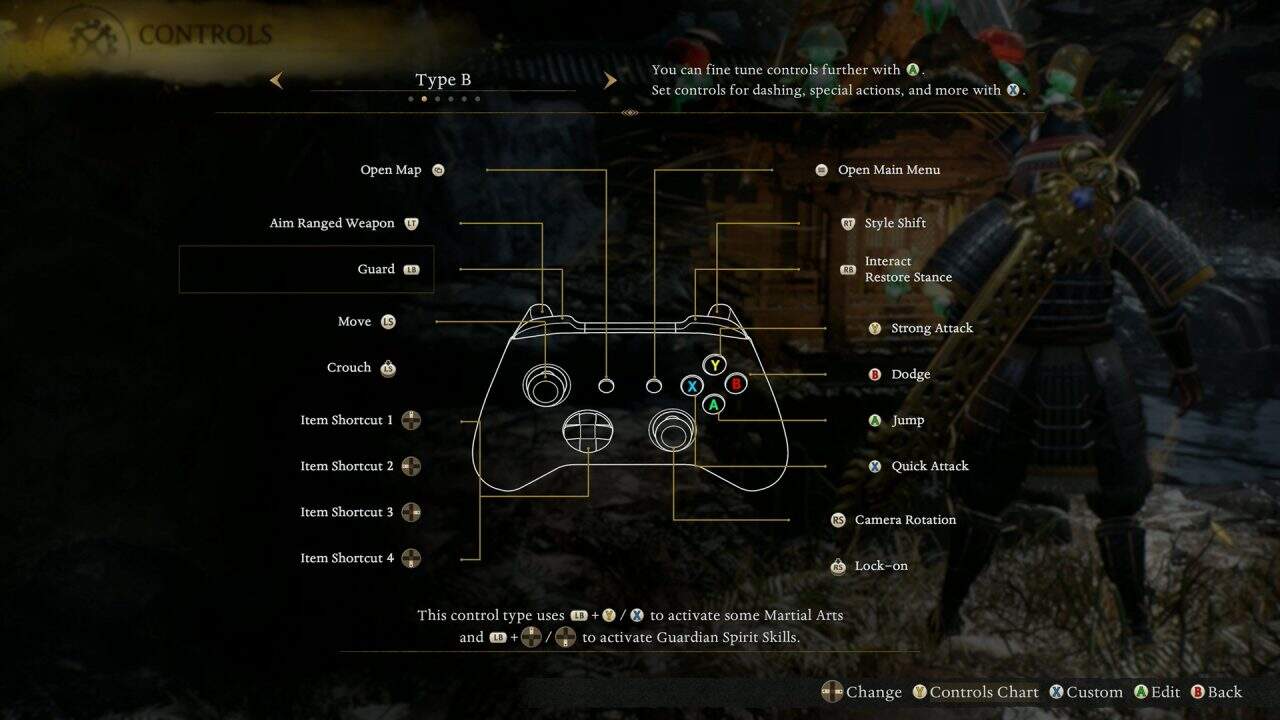
This setup is far more consistent and easier to use, especially during intense fights, and it removes a lot of the frustration caused by missed or incorrect inputs.
Be sure to check out our other guides and our full Nioh 3 review for our impressions on this amazing action rpg.
