

Close Menu
  • Latest
  • Help Support Independent Journalism
  • Features
  • Hubs
    • Summer Game Fest 2025
    • CES 2026
  • Gaming
    • All Gaming
    • Nintendo
    • PlayStation
    • Xbox
    • PC Gaming
    • Hardware News
    • VR
  • Guides
  • Entertainment
    • All Entertainment
    • Anime & Animation
    • Movies and TV
    • Books
    • Manga & Comics
    • Toys
    • Geek
    • Pop Culture
  • Previews
  • Reviews
    • All Reviews
    • Video Game
    • Anime & Animation
    • Movie & TV
    • Comic Book & Manga
    • Tech & Gear
    • Food
    • Book
    • Toys
    • Tabletop and Card Game
  • Podcasts
    • A-01 Podcast
    • Nintendo Entertainment Podcast
    • Spectator Mode Podcast
  • Contact Us
X (Twitter) YouTube RSS Bluesky Discord

Follow Us

X (Twitter) Instagram YouTube Bluesky Discord
The OuterhavenThe Outerhaven
  • Latest
  • Features
  • Guides
  • Hubs
    • Summer Game Fest 2025
    • CES 2026
  • Previews
  • Reviews
    • Video Game Reviews
    • Anime & Animation Reviews
    • Comic Book & Manga Reviews
    • Films & TV Reviews
    • Hardware Reviews
    • Tabletop & Card Game Reviews
    • Toy Reviews
  • Gaming
    • PlayStation
    • Nintendo
    • Xbox
    • PC Gaming
    • Tabletop & Card Game
    • Hardware News
    • Virtual Reality
  • Entertainment
    • Anime & Animation
    • Comic Books & Manga
    • Films & TV
    • Original English Light Novels DB
    • OELN DB
    • Pop Culture
    • Books
    • Toys
  • Podcasts
    • A-01 Podcast
    • Nintendo Entertainment Podcast
    • Spectator Mode Podcast
The OuterhavenThe Outerhaven
Home»News»Guides»How to Find Golden Keys in Borderlands 4

How to Find Golden Keys in Borderlands 4

By Chris PenwellSeptember 18, 2025
Golden Keys give you great loot in Borderlands 4
Golden Keys give you great loot in Borderlands 4.

Golden keys in Borderlands 4 unlock valuable chests with all sorts of cool loot inside, but there is a very specific way to get these rewards. You’ll need to scour the internet to find them rather than play the game itself. Here’s how to get Golden Keys in Borderlands 4.

Insert SHIFT codes on the official website to make the code entry easier.

Where to Find Golden Keys

To be able to even use Golden Keys in Borderlands 4, you’ll first need to create a SHIFT account. This is what connects to your profile online to unlock items in the game. Once you’ve connected your gaming account (Steam, PlayStation Network, etc) to the SHIFT account, use the website and click on the “Rewards” section. You’ll want to use the website as the code is lengthy and is a pain to input on a PS5, Xbox Series X|S, or Nintendo Switch 2. On PC, you’d likely be able to copy and paste, thankfully. Redeem the code and make sure to pick the right platform.

Now that you’re in the right spot online, try to find the SHIFT codes through social media. Gearbox Software and the Borderlands account on X posts them regularly, letting you get in-game rewards like the Golden Keys. Unfortunately, Golden Keys can’t be earned in-game and are a promotional tool for Gearbox and 2K to take advantage of. Here are some Golden Key codes that are currently available for the next few weeks from publication; you do not need to input the dashes between the letter sets.

  • Until September 20, 2025 – WHWJB-XH3SX-39CZW-H3BBB-BTF55
  • Until September 30, 2025 – THRBT-WW6CB-56TB5-3B3BJ-XBW3X
  • Until October 1, 2025 – 39FB3-SHWXS-RRWZK-533TB-JHJBC
  • Unknown when expired – T9RJB-BFKRR-3RBTW-B33TB-KCZB9

If you connect your gaming account to Discord, you can also get a SHIFT code from that service. Click “Discover” at the bottom of the list to the left, where the servers are. After clicking “Quests,” you’ll see an option to click on a quest that has you play 15 minutes of Borderlands 4 for a SHIFT code. It ends on September 26. Select Console, and then when you boot the game with your gaming account, it should count. You’ll get your SHIFT code after 15 minutes of play.

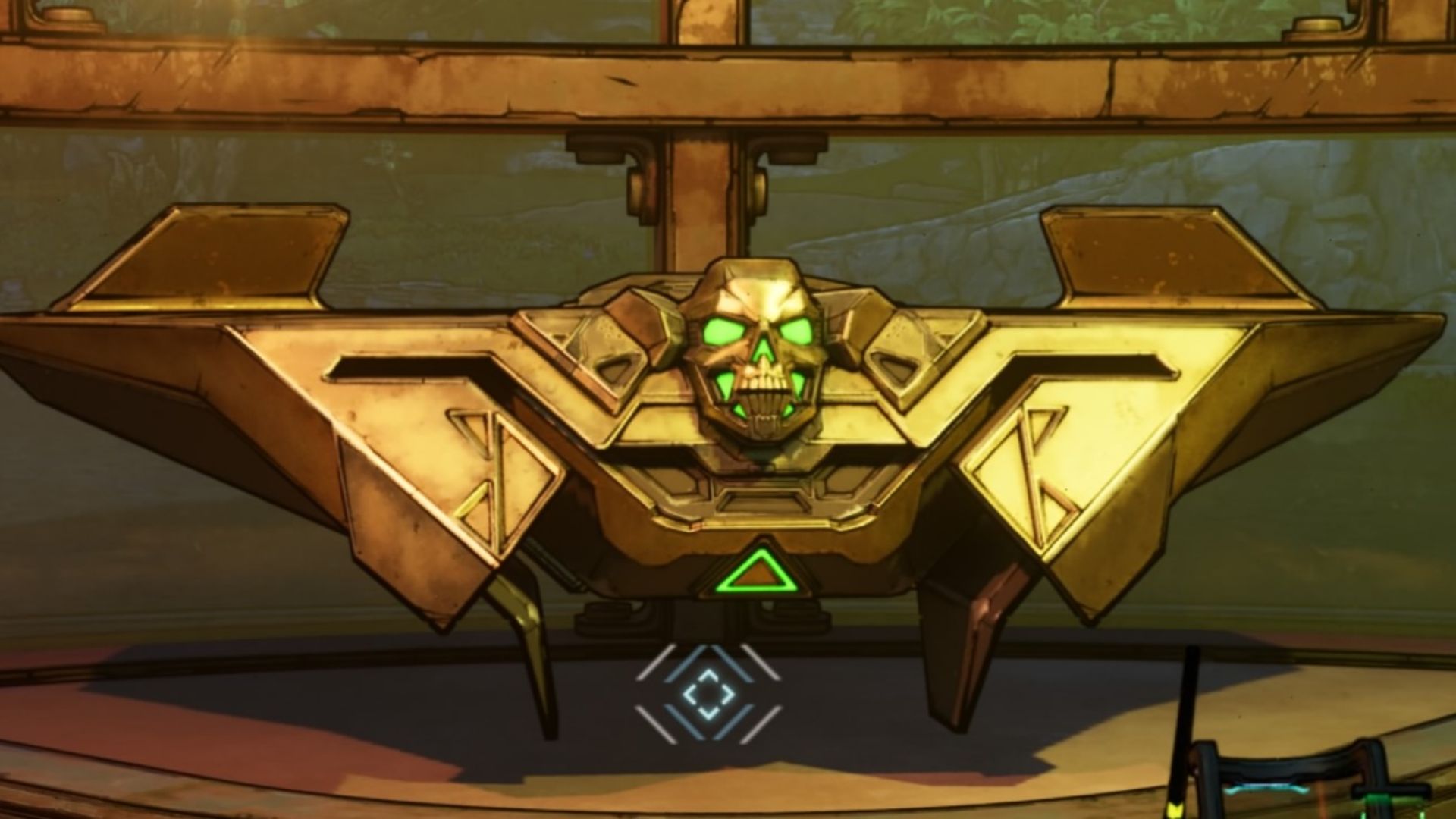
Golden Chest in Borderlands 4
A Golden Chest in Borderlands 4 can be opened with a Golden Key.

How to Use Golden Key in Borderlands 4

To use your Golden Key in Borderlands 4, you’ll need to find one of the Golden Chests. Near the beginning of the game, you’ll find one in The Howl at Faction Town. There’s a fast travel location nearby. Look at the map, and you’ll see a yellow icon nearby. Head over to it to find the Golden Chest.

Once you have a Golden Key from the SHIFT codes, you can open the Golden Chest for special loot. You may need to restart the game for Borderlands 4 to recognize you have the Keys.

2k Borderlands 4 Gearbox Software Nintendo Switch 2 PC PS5 Xbox Series X|S
Chris Penwell Headshot
Chris Penwell
  • Website

The British “Canadian” Chris Penwell has been a video game journalist for almost 10 years. He writes guides, reviews, and news stories with efficient detail. Some of his favorite games include Kingdom Hearts, Beyond Good & Evil, and Rayman 2.

Latest Articles

Crunchyroll Raises Prices for All Subscription Tiers

February 2, 2026

Hello, I am a Witch and my Crush Wants me to Make a Love Potion! Receives TV Anime

February 2, 2026

JUJUTSU KAISEN The Culling Game Part 1 Selections Out Now

February 2, 2026

MONSTA X kicks off new world tour ‘THE X : NEXUS’ in 4 years

February 2, 2026

Highguard Locks In 5v5 Mode as Devs Respond to Player Feedback

February 2, 2026

WWE 2K26 First Look Gameplay Trailer

February 2, 2026
About Us • Our Team • Contact Us • Privacy Policy • Review Policy
Ethics Policy • Terms of Service • Metacritic • OpenCritic • CriticDB
Ownership & Funding Disclosure • Fact Checking & Corrections Policy • Editorial Policy
Copyright @2026 The Outerhaven Productions

Type above and press Enter to search. Press Esc to cancel.