

Close Menu
  • Latest
  • Help Support Independent Journalism
  • Features
  • Gaming
    • All Gaming
    • Nintendo
    • PlayStation
    • Xbox
    • PC Gaming
    • Card & Tabletop
    • VR
  • Guides
  • Entertainment
    • All Entertainment
    • Anime & Animation
    • Movies and TV
    • Books
    • Manga & Comics
    • Toys
    • Geek
    • Culture
  • Previews
  • Reviews
    • All Reviews
    • Video Game
    • Anime & Animation
    • Movie & TV
    • Comic Book & Manga
    • Tech & Gear
    • Food
    • Book
    • Toys
    • Tabletop and Card Game
  • Podcasts
    • A-01 Podcast
    • Nintendo Entertainment Podcast
    • Spectator Mode Podcast
  • Contact Us
X (Twitter) YouTube RSS Bluesky Discord
X (Twitter) Instagram YouTube Bluesky Discord
The OuterhavenThe Outerhaven
  • Latest
  • Features
  • Guides
  • Previews
  • Reviews
    • Video Game Reviews
    • Anime & Animation Reviews
    • Comic Book & Manga Reviews
    • Films & TV Reviews
    • Tech Reviews
    • Tabletop and Card Game Reviews
    • Toy Reviews
  • Gaming
    • PlayStation
    • Nintendo
    • Xbox
    • PC Gaming
    • Retro Gaming
    • Tabletop
    • Virtual Reality
  • Entertainment
    • Anime & Animation
    • Comic Books & Manga
    • Films & TV
    • Original English Light Novels DB
    • OELN DB
    • Culture
    • Books
    • Toys
  • Tech
  • Podcasts
    • A-01 Podcast
    • Nintendo Entertainment Podcast
    • Spectator Mode Podcast
The OuterhavenThe Outerhaven
Home»News»Guides»Palworld Guide – How To Update Palworld Server

Palworld Guide – How To Update Palworld Server

By Faith LaneFebruary 3, 2024

Palworld has quickly become a famous indie game, giving a wholesome time on a Pokemon-like game with guns. Yep, it’s quite an interesting setup that players are enjoying. Like everything in today’s modern world, things require updates, which will tend to be the same with your Palworld server. It will be important to know how to update it, so this guide is perfect for any host who wants to learn how to update a Palworld server.

How To Update Your Palworld Server
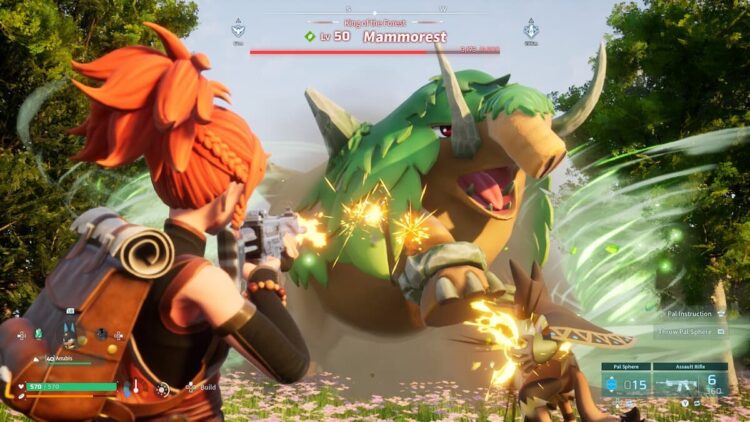
First things first, you will want to log into your server’s control panel. This will allow you access to everything necessary regarding your Palworld server. Once you’ve logged in, a smart first step is to pause and back up the server. Doing this helps prevent anything bad from happening to the server and prevents any losses of the game progress made by players. Backing up your Palworld server will also help prevent anything from getting deleted as well, as stated above.

The next series of steps will entail how to download the update to the server. After getting to the server control panel, access the Steam update from there. This should be an icon that appears on the screen. Now, the downloader will start up, and Palworld’s server files will be downloaded to the game and file folders.

Now is the time to restart the server real quick; this will ensure that everything gets updated, and then the server can be brought back online. That is all of the sets that are needed in order to successfully update your Palworld server. Check out our guide on how to get food in Palworld.

Palworld Guide
Avatar photo
Faith Lane
  • Website
  • X (Twitter)
  • Instagram

Faith Lane is a self-published Christian author, journalist, editor, ghostwriter, and fangirl. She loves all things fandom and video games and loves to share her passion with her readers through her writing.

Latest Articles

Riftbound Reveals: What Went Down at the PAX Unplugged Panel

December 7, 2025

Death Battle Summons Our Childhoods With Ash Vs Yugi!

December 7, 2025

Horror Collector Receives TV Anime

December 7, 2025

Manga Review: Queen’s Quality Vol. 24

December 7, 2025

Manga Review: Astro Royale Vol. 3

December 7, 2025

AEW Collision Recap – 12/6/25

December 6, 2025
About Us • Our Team • Contact Us • Privacy Policy • Review Policy
Ethics Policy • Terms of Service • Metacritic • OpenCritic • CriticDB
Ownership & Funding Disclosure • Fact Checking & Corrections Policy • Editorial Policy
Copyright @2025 The Outerhaven Productions

Type above and press Enter to search. Press Esc to cancel.