

Now that PlayStation has released its latest PS5 update that adds M.2 SSD support, I’m sure you’re looking to see which drive is compatible with your PlayStation 5. The market is full of those super fast and expensive drives. But fret not, as we’re here to show you which drives are compatible and where you can get them. That said, before we get into this, take a moment to breathe, as these drives are not cheap. Depending on the size of the drive, you can be spending anywhere from $135, all the way up to $400 or more.
You’re going to want an M.2 drive that also includes a heatsink, as they tend to heat up. If you can’t find one at the price you’re looking for, that’s not a big deal as you can purchase heatsinks that will stick onto your M.2 SSD drive. Not all Gen 4 SSDs are created equal either, so there are some rules you need to stick to. Sony recommends an M.2 SSD that can reach a sequential read speed of 5,500MB/s or faster. There are some M.2 Gen 4 on the market that doesn’t hit that speed, so be careful if you’re looking for less expensive alternatives.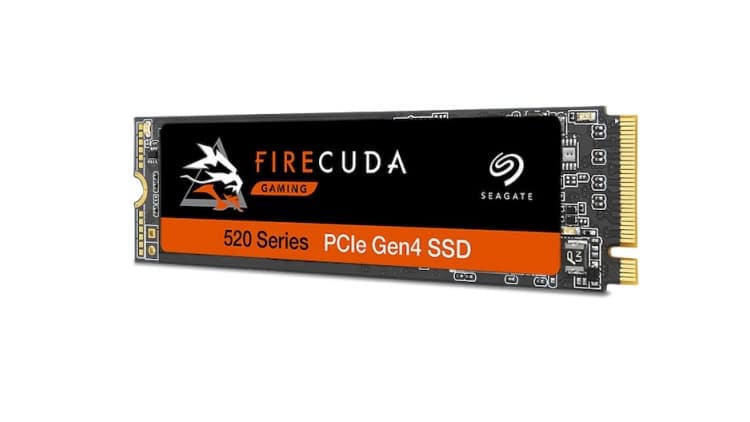
Lastly, the prices will fluctuate or be sold out completely because of the update and the demand. You’ll have to keep checking to see if and when they’re back in stock. It’s the whole PS5 and Xbox Series X|S buying situation all over again.
Adding to that, I’m sure everyone is aware that Seagate’s Firecuda 530 works with the PS5, there are several others that have been confirmed as well. This includes the SAMSUNG 980 PRO, Western Digital Black SN850, Crucial P5 Plus, GIGABYTE AORUS Gen4 7000s, and Sabrent 1TB Rocket 4. We’ve ordered some other SSDs to test and will let you know how they work.
Update 1: We were asked why we haven’t listed the XPG GAMMIX S70 PCIe 4.0 M.2 2280. While this drive does meet the requirements, it comes with a heatsink attached and that heatsink surpasses the requirements that PlayStation provided. That said, you can definitely try it out but it’s going to stick out a bit. If you do want to go XPG, get the XPG GAMMIX S70 BLADE PCIe Gen4x4 M.2 2280. It does not come with an attached heatsink.
Update 2: Samsung has informed us that while the current SAMSUNG 980 PRO is available without a heatsink, they’ll be releasing a newer version that includes a heatsink. This updated version will be available later this year (2021).
Alright, let’s get to those drives.
| Drive Name | Price | Location |
|---|---|---|
| Western Digital Black SN850 500GB w/ Heatsink | $199.99 | Amazon |
| Western Digital Black SN850 1TB w/ Heatsink | $229.99 | Amazon |
| Western Digital Black SN850 2TB w/ Heatsink | $529.99 | Amazon |
| Seagate FireCuda 530 500GB w/ Heatsink | $159.99 | Best Buy |
| Seagate FireCuda 530 1TB w/ Heatsink | $259.99 | Best Buy |
| Seagate FireCuda 530 2TB w/ Heatsink | $509.99 | Best Buy |
| Seagate FireCuda 530 2TB w/ Heatsink | $969.99 | Best Buy |
| Crucial P5 Plus 500GB | $107.99 | Amazon |
| Crucial P5 Plus 1TB | $179.99 | Amazon |
| Crucial P5 Plus 2TB | $367.99 | Amazon |
| SAMSUNG 980 PRO 500GB | $109.99 | Amazon |
| SAMSUNG 980 PRO 1TB | $189.99 | Amazon |
| SAMSUNG 980 PRO 2TB | $369.99 | Amazon |
| GIGABYTE AORUS Gen4 7000s SSD 1TB w/heatsink | $229.99 | Amazon |
| GIGABYTE AORUS Gen4 7000s SSD 2TB w/heatsink | $399.99 | Amazon |
| Sabrent 1TB Rocket 4 PLUS | $179.99 | Amazon |
| Sabrent 2TB Rocket 4 PLUS | $359.98 | Amazon |
| Sabrent 4TB Rocket 4 PLUS | $899.99 | Amazon |
This list will grow as more drivers are certified or confirmed to work with the PS5. For now, stick with the drives we know will work with the console. All of these are compatible PS5 M.2 NVMe SSD storage devices.
For the M.2 drives that don’t include a heatsink, I recommend the following, which can be purchased on Amazon. Of course, you can purchase a heatsink at any of your favorite stores.
- ELUTENG M.2 2280 Heatsink @ Amazon – $13.59
- M.2 Heatsink SSD Cooler @ Amazon – $18.99
- QIVYNSRY M.2 Heatsink NVME 2280 SSD Heat Sink @ Amazon – $16.99
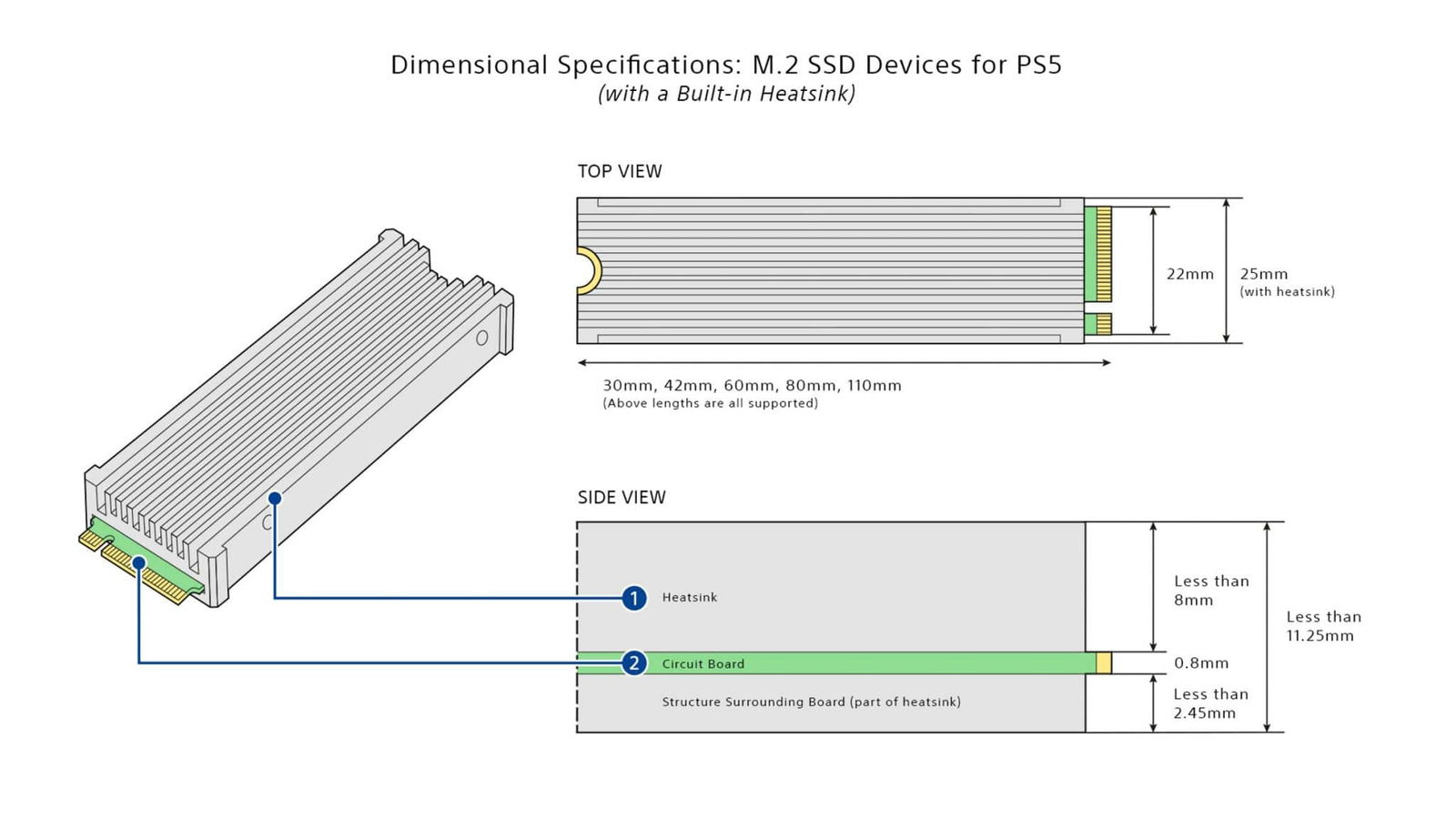
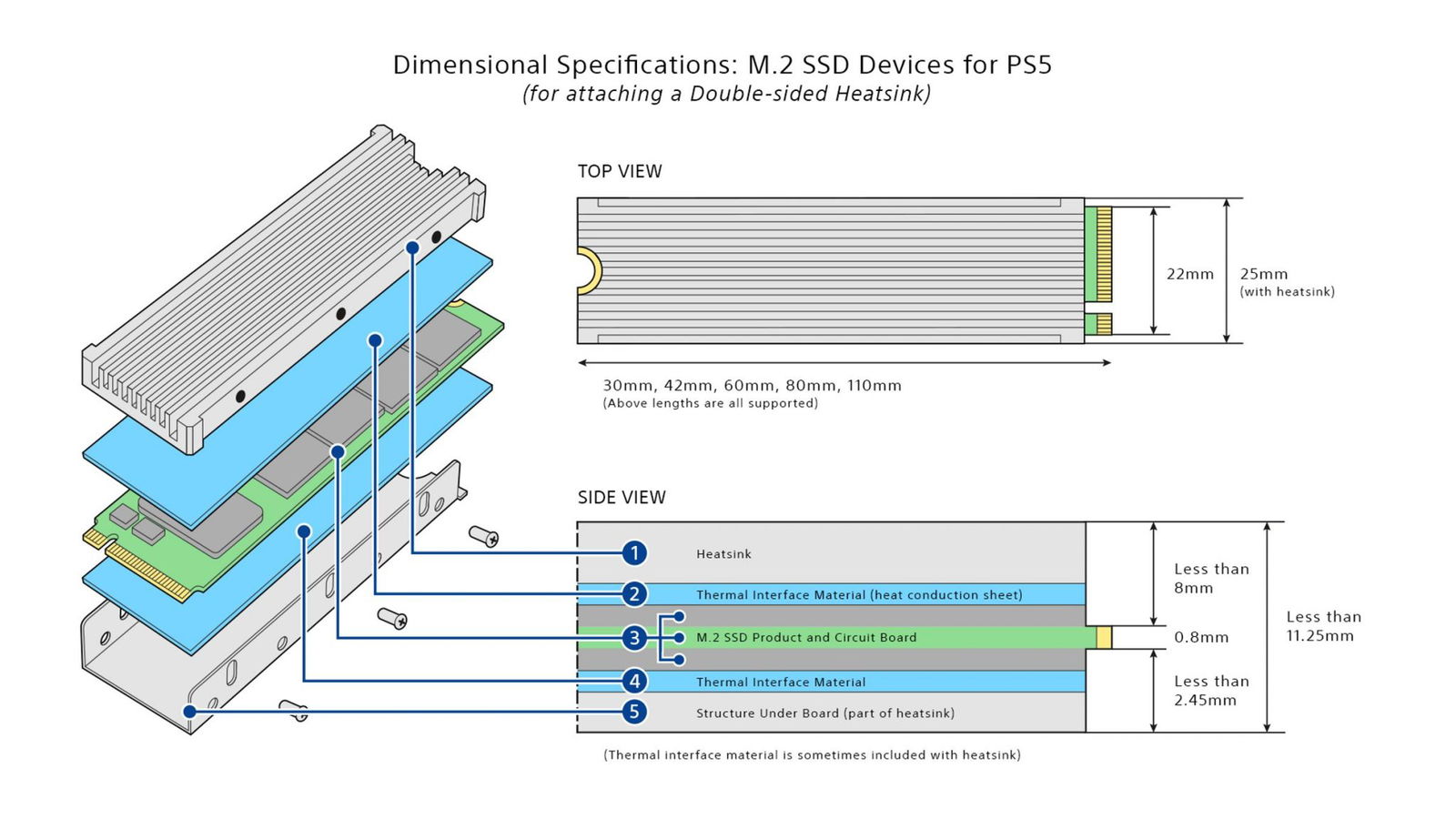
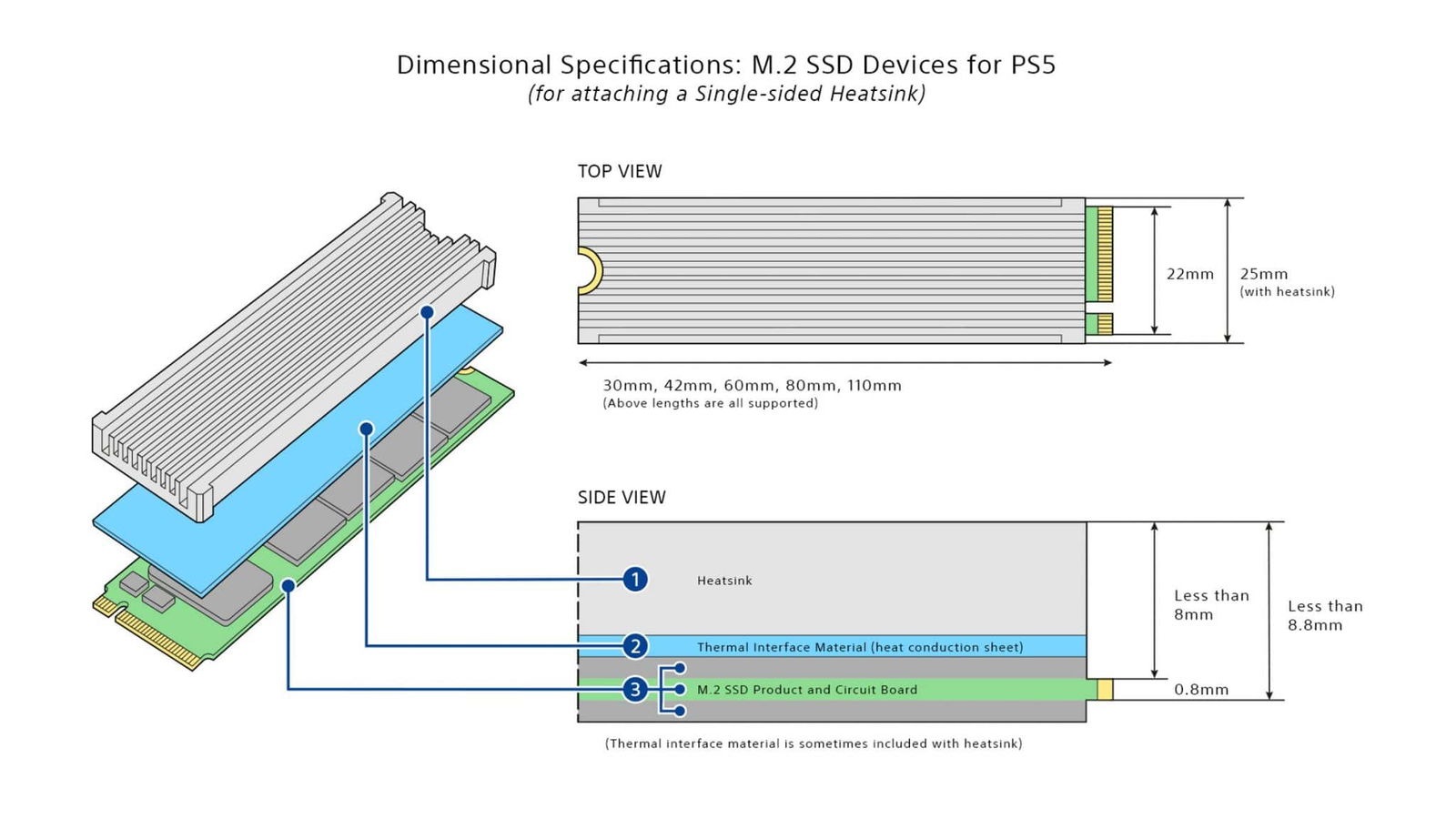
Whatever heatsink you’re looking at, keep in mind that there are requirements for this as well. Some are too tall, others too wide. The SSD and heatsink combined should not exceed in millimeters 110mm (L) x 25mm (W) x 11.25mm (H) or 4.33in (L) x 0.984 in (W) x 0.442in (H) inches
Please check out the images provided by PlayStation regarding the installment requirements for the SSD and heatsink.
If you aren’t sure how to install the M.2 SSD drive into your PlayStation 5, give this link a try. This will walk you through the entire process. Don’t worry; it’s not rocket science and is easier than it looks.
