

Close Menu
  • Latest
  • Help Support Independent Journalism
  • Features
  • Hubs
    • Summer Game Fest 2025
    • CES 2026
  • Gaming
    • All Gaming
    • Nintendo
    • PlayStation
    • Xbox
    • PC Gaming
    • VR
  • Guides
  • Entertainment
    • All Entertainment
    • Anime & Animation
    • Movies and TV
    • Books
    • Manga & Comics
    • Toys
    • Geek
    • Pop Culture
  • Previews
  • Reviews
    • All Reviews
    • Video Game
    • Anime & Animation
    • Movie & TV
    • Comic Book & Manga
    • Tech & Gear
    • Food
    • Book
    • Toys
    • Tabletop and Card Game
  • Podcasts
    • A-01 Podcast
    • Nintendo Entertainment Podcast
    • Spectator Mode Podcast
  • Contact Us
X (Twitter) YouTube RSS Bluesky Discord

Follow Us

X (Twitter) Instagram YouTube Bluesky Discord
The OuterhavenThe Outerhaven
  • Latest
  • Features
  • Guides
  • Hubs
    • Summer Game Fest 2025
    • CES 2026
  • Previews
  • Reviews
    • Video Game Reviews
    • Anime & Animation Reviews
    • Comic Book & Manga Reviews
    • Films & TV Reviews
    • Tech Reviews
    • Tabletop & Card Game Reviews
    • Toy Reviews
  • Gaming
    • PlayStation
    • Nintendo
    • Xbox
    • PC Gaming
    • Tabletop & Card Game
    • Virtual Reality
  • Entertainment
    • Anime & Animation
    • Comic Books & Manga
    • Films & TV
    • Original English Light Novels DB
    • OELN DB
    • Pop Culture
    • Books
    • Toys
  • Tech News
  • Podcasts
    • A-01 Podcast
    • Nintendo Entertainment Podcast
    • Spectator Mode Podcast
The OuterhavenThe Outerhaven

Explanation For 3rd Party Nintendo Switch Docks Destroying The Console?

By Todd BlackMarch 29, 2018
Nintendo Switch

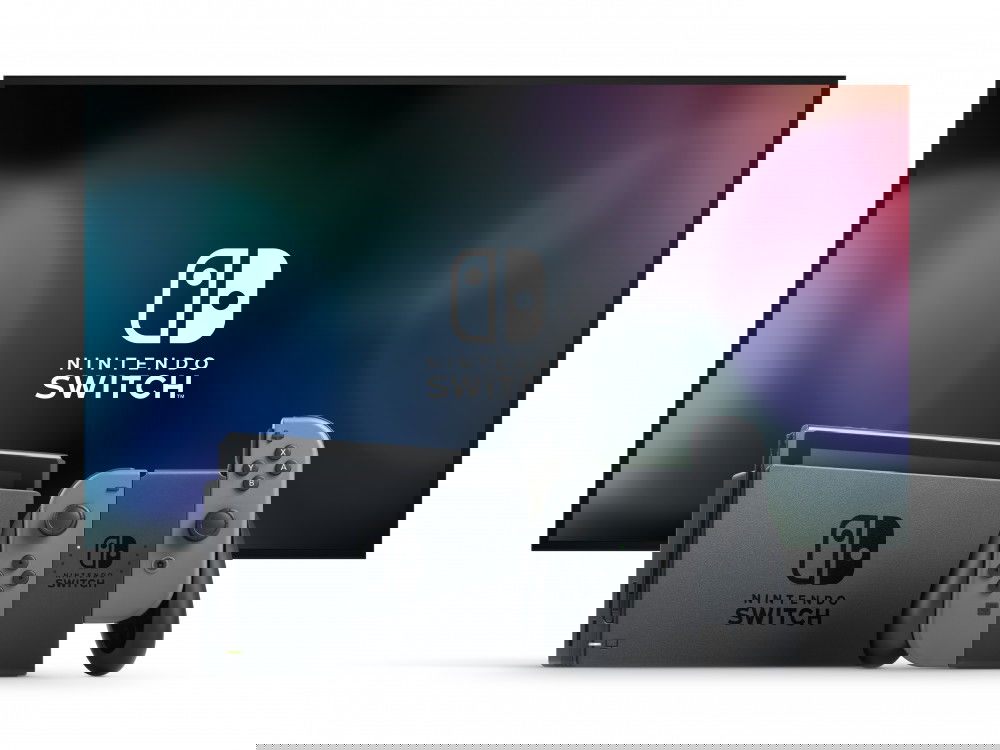
So recently, the Nintendo Switch got a major update, update 5.0. However, with that update came a way of destroyed Nintendo Switches. Why? Because apparently, these people were using 3rd party Switch docks, and through that and the update, the Switches short circuit, becoming paperweights.

Now, Nintendo has commented on the situation and basically said don’t use 3rd party docks. Which is understandable from their perspective, however, when it comes to gamers, we want to know why things are happening. So, someone decided to investigate, and found out that the USB-C connection seems to be the cause of this. Here’s an explanation given on Reddit:

The Nintendo Switch Dock USB TypeC power supply is not USB-PD spec compliant. As a result it does not “play nice” with other USBC devices. This means you should strongly consider only using the Nintendo Switch Dock adapter only with the Nintendo Switch (and Dock). Additionally, it also seems the Nintendo Switch Dock does not “play nice” with other USB-PD chargers. This means you’re forced to use a Nintendo-brand power supply.

The question now is, did Nintendo intentionally make the Switch this way in order to ensure that only their docks were being used? What’s more, why did the 5.0 update trigger these events? We’re not sure if we’ll get an answer, but we will be speculating.

nintendo Nintendo Switch
Avatar photo
Todd Black

A self-proclaimed Nintendo fanboy, born, bred, and Mushroom fed! He’s owned every Nintendo handheld and every console since the SNES. He's got a degree in video game development, is a published comic book writer and an author of several novels!

Latest Articles

Mrs. GREEN APPLE Drops OP Theme for Frieren: Beyond Journey’s End Season 2

January 14, 2026

Rico Sasaki Announces Full-Length Album RI PATHOS

January 14, 2026

Nintendo, Sony and Microsoft Provide “Update” On “Player Safety” Promise

January 14, 2026

Type II Announces the Virtua Fighter Gaming Controller PRO for PC and Switch

January 14, 2026

SNK Announces World Championship 2026 Tournament Circuit

January 14, 2026

The REANIMAL Demo is Now Available on Switch 2

January 14, 2026
About Us • Our Team • Contact Us • Privacy Policy • Review Policy
Ethics Policy • Terms of Service • Metacritic • OpenCritic • CriticDB
Ownership & Funding Disclosure • Fact Checking & Corrections Policy • Editorial Policy
Copyright @2026 The Outerhaven Productions

Type above and press Enter to search. Press Esc to cancel.