

Close Menu
  • Latest
  • Help Support Independent Journalism
  • Features
  • Hubs
    • Summer Game Fest 2025
    • CES 2026
  • Gaming
    • All Gaming
    • Nintendo
    • PlayStation
    • Xbox
    • PC Gaming
    • Hardware News
    • VR
  • Guides
  • Entertainment
    • All Entertainment
    • Anime & Animation
    • Movies and TV
    • Books
    • Manga & Comics
    • Toys
    • Geek
    • Pop Culture
  • Previews
  • Reviews
    • All Reviews
    • Video Game
    • Anime & Animation
    • Movie & TV
    • Comic Book & Manga
    • Tech & Gear
    • Food
    • Book
    • Toys
    • Tabletop and Card Game
  • Podcasts
    • A-01 Podcast
    • Nintendo Entertainment Podcast
    • Spectator Mode Podcast
  • Contact Us
X (Twitter) YouTube RSS Bluesky Discord

Follow Us

X (Twitter) Instagram YouTube Bluesky Discord
The OuterhavenThe Outerhaven
  • Latest
  • Features
  • Guides
  • Hubs
    • Summer Game Fest 2025
    • CES 2026
  • Previews
  • Reviews
    • Video Game Reviews
    • Anime & Animation Reviews
    • Comic Book & Manga Reviews
    • Films & TV Reviews
    • Hardware Reviews
    • Tabletop & Card Game Reviews
    • Toy Reviews
  • Gaming
    • PlayStation
    • Nintendo
    • Xbox
    • PC Gaming
    • Tabletop & Card Game
    • Hardware News
    • Virtual Reality
  • Entertainment
    • Anime & Animation
    • Comic Books & Manga
    • Films & TV
    • Original English Light Novels DB
    • OELN DB
    • Pop Culture
    • Books
    • Toys
  • Podcasts
    • A-01 Podcast
    • Nintendo Entertainment Podcast
    • Spectator Mode Podcast
The OuterhavenThe Outerhaven
Home»News»Gaming News»Grab Your Rainbow Six Siege Beta Code for Free From Amazon

Grab Your Rainbow Six Siege Beta Code for Free From Amazon

By Walter MackSeptember 23, 2015

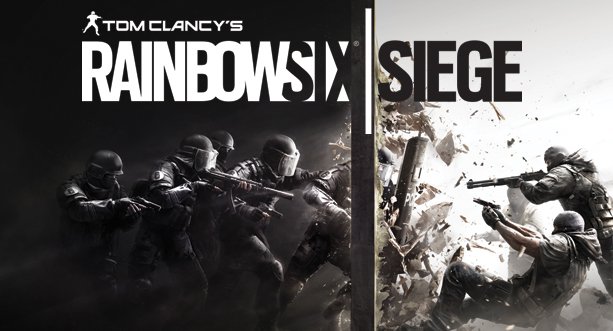
Amazon is currently giving out free codes for the Tom Clancy’s Rainbow Six Siege beta that starts tomorrow (September 24th). The free purchase can be made here. It does NOT require a pre-order of the game, the closed beta is accessible for everyone.

To redeem the code:
1. Go to www.rainbow6.com/beta.
2. Select your platform of choice (Playstation 4, Xbox One, PC).
3. Click “NEXT” to log in to Uplay, or create a Uplay account. If you are a PlayStation 4 or Xbox One owner, you will need to link your account to your PlayStation Network account or Xbox LIVE account.
4. Enter your unique Access Code (from checkout or confirmation email).
5. Once confirmation is received, the Closed Beta key for your platform of choice will be delivered to you prior to the Closed Beta start date via your Uplay email address.

FPS PC playstation 4 Rainbow Six Siege shooterf tom clancy XBox one
Avatar photo
Walter Mack
  • Website
  • Facebook
  • X (Twitter)

Walter is a California native. He is currently in his last year of college pursuing a B.A. in English, but is often mistaken for a freshman...or a middle school tourist on occassion. His earliest gaming experience was Pokemon Red version on the Gameboy color, which he played actively. He would dabble with the Nintendo 64 and Playstation 2 for a bit before transitioning to many years of F2P MMOs. He then moved on to League of Legends, with whom he as an on and off again relationship. He currently spends most of his game time on his Playstation 4. He's also a bit of a Marvel nut.

Latest Articles

Nintendo Switch Officially The Best Selling Nintendo Console Of All Time

February 3, 2026

Gundam Hathaway: The Sorcery of Nymph Circe Clip Features Guns N’ Roses Ending Theme

February 3, 2026

Carmageddon: Rogue Shift Review

February 3, 2026

Crunchyroll Raises Prices for All Subscription Tiers

February 2, 2026

Hello, I am a Witch and my Crush Wants me to Make a Love Potion! Receives TV Anime

February 2, 2026

JUJUTSU KAISEN The Culling Game Part 1 Selections Out Now

February 2, 2026
About Us • Our Team • Contact Us • Privacy Policy • Review Policy
Ethics Policy • Terms of Service • Metacritic • OpenCritic • CriticDB
Ownership & Funding Disclosure • Fact Checking & Corrections Policy • Editorial Policy
Copyright @2026 The Outerhaven Productions

Type above and press Enter to search. Press Esc to cancel.